Article
Best To-Do List Apps in 2026
Master your tasks and boost productivity with the right to-do list app. We tested the leading task management platforms to help you find the perfect solution for staying organized.
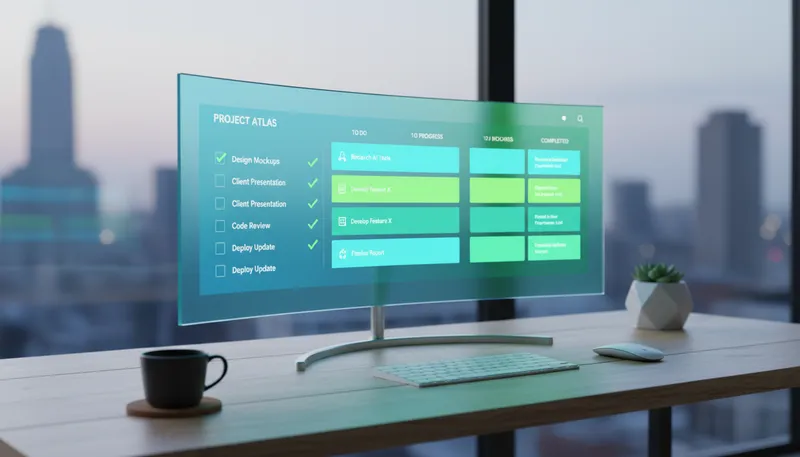
Task management is evolving rapidly in 2026, with AI now helping people prioritize, reschedule, and even predict how long tasks will take. Whether you’re managing personal errands, professional projects, or complex team workflows, the right to-do list app can transform how you work.
Our team tested the leading task management apps, evaluating features, ease of use, pricing, and real-world performance. Here are the best to-do list apps for every need and budget.
Quick Comparison
| App | Best For | Price | Rating |
|---|---|---|---|
| 1. Todoist | Best Overall | $4/month | ★4.8/5 |
| 2. TickTick | Best Value for Features | $2.99/month | ★4.7/5 |
| 3. Things 3 | Best for Apple Users | $49.99 (one-time) | ★4.9/5 |
| 4. Microsoft To Do | Best Free Option | $0 (Free) | ★4.5/5 |
| 5. Motion | Best AI-Powered Scheduling | $34/month | ★4.6/5 |
| 6. Notion | Best for Customization | $4/month | ★4.4/5 |
| 7. Google Tasks | Best for Gmail Users | $0 (Free) | ★4.3/5 |
| 8. Any.do | Best Daily Planner | $3/month | ★4.4/5 |
| 9. Trello | Best Visual Project Tracking | $5/user/month | ★4.5/5 |
| 10. Sunsama | Best for Work-Life Balance | $16/month | ★4.6/5 |
Our Top Picks in Detail
Todoist
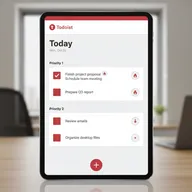
Todoist strikes the perfect balance between power and simplicity, making it the most popular to-do list app for good reason. With natural language processing that lets you type 'Meeting tomorrow at 3pm' and automatic scheduling, it's incredibly fast to use. The Pro plan at $4/month unlocks reminders, labels, and filters—essential for serious productivity.
Pros
- ✓Natural language processing for quick task entry
- ✓Cross-platform support on virtually every device
- ✓Clean, intuitive interface balancing power and simplicity
- ✓Productivity tracking with Karma points and trends
- ✓Excellent keyboard shortcuts for power users
Cons
- ✗Reminders locked behind paywall on free plan
- ✗Limited collaboration features compared to project management tools
- ✗No built-in time tracking
TickTick
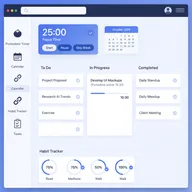
TickTick is the powerhouse of features at a budget-friendly price. With a built-in Pomodoro timer, habit tracker, and calendar integration, it combines multiple productivity tools in one app. Premium costs just $2.99/month, making it the best value if you want extensive features without paying for multiple apps.
Pros
- ✓Most affordable premium option at $2.99/month
- ✓Built-in Pomodoro timer and habit tracker
- ✓Calendar view integrated directly in the app
- ✓Eisenhower Matrix for task prioritization
- ✓Reminders included even on free plan
Cons
- ✗Free plan limited to 9 lists
- ✗Interface can feel cluttered with many features
- ✗Fewer third-party integrations than Todoist
Things 3
Things 3 is the gold standard for Apple users who value beautiful design and seamless integration. With its elegant interface and one-time purchase model, it's perfect for individuals who want a premium, distraction-free task management experience without subscriptions. The 15-day free trial lets you test before committing.
Pros
- ✓Most beautiful and refined interface on the market
- ✓One-time purchase (no subscription required)
- ✓Deep Apple ecosystem integration with Siri and Shortcuts
- ✓Excellent task hierarchy with Areas, Projects, and Headings
- ✓Fast and responsive with polished animations
Cons
- ✗Apple-only (no Windows, Android, or web version)
- ✗No collaboration or sharing features
- ✗Separate purchases for Mac ($49.99), iPad ($19.99), iPhone ($9.99)
Microsoft To Do
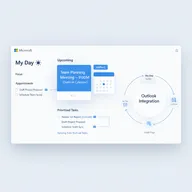
Microsoft To Do is the best free to-do list app, offering unlimited tasks, reminders, and the smart My Day feature at no cost. Its seamless integration with Outlook makes it perfect for professionals in the Microsoft ecosystem. While it lacks advanced features of paid apps, it covers all essential task management needs.
Pros
- ✓Completely free with all essential features included
- ✓My Day feature for focused daily planning
- ✓Deep Microsoft 365 integration (Outlook, Teams, Planner)
- ✓Flagged Outlook emails automatically become tasks
- ✓Reminders included on free plan (unlike Todoist)
Cons
- ✗Limited customization compared to premium apps
- ✗Basic automation capabilities
- ✗Best suited for Microsoft ecosystem users

Motion
Motion uses AI to automatically schedule your tasks on your calendar, taking deadlines and priorities into account. Instead of just listing tasks, it tells you exactly when to work on them. At $34/month it's expensive, but for busy professionals juggling multiple projects, the time saved on planning pays for itself.
Pros
- ✓AI automatically schedules tasks on your calendar
- ✓Predicts realistic completion times based on workload
- ✓Automatically reschedules when meetings change
- ✓Reduces decision fatigue about what to work on
- ✓Game-changer for busy professionals with packed calendars
Cons
- ✗Expensive at $34/month (but includes project management)
- ✗Requires calendar access to function optimally
- ✗Learning curve to trust AI scheduling decisions
Notion
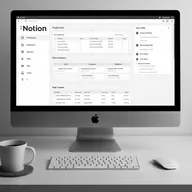
Notion goes beyond simple task management, combining notes, databases, wikis, and project tracking in one customizable workspace. Perfect for building your own productivity system with GTD, PARA, or custom workflows. The free plan is generous, and paid plans at $4/month unlock advanced features.
Pros
- ✓Extremely flexible with databases, wikis, and task boards
- ✓Combines notes, tasks, and documentation in one place
- ✓Beautiful templates for any workflow
- ✓Free plan generous for personal use
- ✓Great for building custom productivity systems
Cons
- ✗Steep learning curve for new users
- ✗Can be overwhelming with too many options
- ✗Performance can slow with large databases
Google Tasks
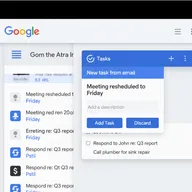
Google Tasks is the simplest, most accessible to-do list for Gmail users. Embedded directly in your inbox and calendar, it's perfect for converting emails to tasks and managing simple lists. While it lacks advanced features, its seamless Gmail integration and zero learning curve make it ideal for minimalists.
Pros
- ✓Completely free with unlimited tasks
- ✓Embedded directly in Gmail and Google Calendar
- ✓Convert emails to tasks with one click
- ✓Clean, distraction-free interface
- ✓Perfect for simple task management
Cons
- ✗Very basic features (no labels, priorities, or filters)
- ✗No collaboration or sharing capabilities
- ✗Limited automation compared to alternatives
Any.do
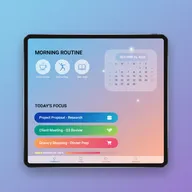
Any.do focuses on helping you plan your day with a beautiful morning ritual that walks you through today's tasks. Its location-based reminders and WhatsApp integration make it unique, perfect for users who want a visually appealing app with smart contextual reminders.
Pros
- ✓Beautiful, modern interface with smooth animations
- ✓Daily planning flow helps you start each morning
- ✓Location-based reminders (remind me when I arrive home)
- ✓WhatsApp integration for task sharing
- ✓Affordable premium at $3/month
Cons
- ✗Free plan limits recurring tasks
- ✗Fewer power-user features than Todoist
- ✗Some advanced features require premium
Trello
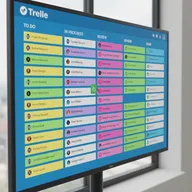
Trello excels at visual project tracking with its Kanban board system. While more than a simple to-do list, it's perfect for managing workflows, personal projects, and team collaboration. The 2026 version includes smarter automation with Butler, making it great for reducing repetitive work.
Pros
- ✓Visual Kanban boards perfect for project workflows
- ✓Extremely intuitive drag-and-drop interface
- ✓Butler automation for repetitive task workflows
- ✓Great for team collaboration and transparency
- ✓Free plan generous with unlimited users
Cons
- ✗Not ideal for simple personal to-do lists
- ✗Can become cluttered with many projects
- ✗Free plan limited to 10 boards
Sunsama
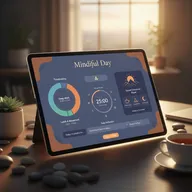
Sunsama is designed for intentional, mindful productivity rather than cramming more into your day. With guided daily planning, timeboxing, and shutdown rituals, it helps busy professionals focus on what matters and maintain work-life balance. Perfect for those feeling overwhelmed by endless task lists.
Pros
- ✓Encourages mindful planning and realistic workloads
- ✓Daily shutdown routine promotes work-life balance
- ✓Pulls tasks from multiple tools into one daily view
- ✓Timeboxing helps estimate and track actual time spent
- ✓Weekly planning sessions for big-picture focus
Cons
- ✗Expensive at $16/month
- ✗Requires commitment to daily planning rituals
- ✗No native mobile app yet
How We Test To-Do List Apps

Our testing methodology evaluates real-world usability and productivity impact:
Task Entry Speed
We measure how quickly you can capture tasks:
- Natural language processing: Can you type “lunch with Sarah Friday at 1pm”?
- Keyboard shortcuts: Quick entry without touching the mouse
- Voice input: Siri, Google Assistant, or Alexa integration
- Email to task: Converting emails to action items
Organization Capabilities
We assess how well apps help you organize work:
- Projects and hierarchy: Nesting tasks, subtasks, and grouping
- Labels and tags: Flexible categorization beyond folders
- Priority systems: Flagging important vs urgent tasks
- Custom views: Filtering and sorting to see what matters
Cross-Platform Experience
We test sync and accessibility:
- Platform availability: Mobile, desktop, web, wearables
- Sync speed: How fast changes appear across devices
- Offline capability: Can you work without internet?
- Feature parity: Do all platforms have the same features?
Automation and Intelligence
We evaluate smart features:
- Recurring tasks: Flexibility in repeating patterns
- Reminders: Time-based and location-based notifications
- Templates: Reusable checklists for common workflows
- AI assistance: Smart scheduling and prioritization
Choosing the Right To-Do List App
For Simple Task Management
Microsoft To Do or Google Tasks offer straightforward, free solutions:
- Microsoft To Do: Best for Outlook users with My Day planning
- Google Tasks: Perfect for Gmail integration and minimalism
For Power Users
Todoist or TickTick provide advanced features:
- Todoist: Natural language, cross-platform, balanced approach
- TickTick: Most features for the money (calendar, Pomodoro, habits)
For Apple Enthusiasts
Things 3 delivers premium design with one-time purchase:
- Beautiful interface with no subscriptions
- Deep Apple ecosystem integration
- Perfect for individuals (no collaboration)
For AI and Automation
Motion uses artificial intelligence to schedule your work:
- Automatically plans when to work on tasks
- Reschedules intelligently when priorities change
- Best for professionals with packed calendars
For Custom Workflows
Notion or Trello support highly customized systems:
- Notion: Build your own productivity system with databases
- Trello: Visual Kanban boards for project workflows
Essential Features to Consider
Basic Features
- Quick capture: Fast task entry from anywhere
- Due dates: Set deadlines and get reminded
- Prioritization: Mark important and urgent tasks
- Subtasks: Break down complex projects
- Cross-platform: Access from all your devices
Advanced Features
- Natural language: Type tasks in plain English
- Recurring tasks: Automated repeating schedules
- Labels/tags: Flexible organization systems
- Filters: Custom views of your task list
- Templates: Reusable checklists
Collaboration Features
- Shared lists: Collaborate with family or team
- Task assignment: Delegate to specific people
- Comments: Discuss tasks in context
- Activity feed: See who changed what
Power User Features
- Keyboard shortcuts: Work without touching mouse
- API access: Connect to other tools
- Custom fields: Add metadata to tasks
- Productivity stats: Track completion trends
Frequently Asked Questions
What is the best free to-do list app?
Microsoft To Do is the best completely free option with unlimited tasks, reminders, and My Day planning. Google Tasks is perfect for Gmail users who want simplicity. TickTick and Todoist offer generous free plans, though key features like reminders (Todoist) require paid upgrades.
Which to-do app works best across all platforms?
Todoist and TickTick work seamlessly across iOS, Android, Windows, Mac, Linux, and web browsers. Microsoft To Do and Google Tasks also offer excellent cross-platform support. Things 3 is Apple-only, making it unsuitable if you use Windows or Android.
Do I need a to-do list app if I use project management software?
Yes. Project management tools like Asana or ClickUp handle team projects, while to-do apps focus on personal task management. Many users keep both—using Todoist or TickTick for personal tasks and daily planning, while using PM software for team collaboration.
What’s the difference between a to-do list and a task manager?
The terms are often used interchangeably. Generally, “to-do list” implies simple checklists, while “task manager” suggests more features like projects, priorities, and collaboration. Apps like Todoist and TickTick blur this line, offering both simplicity and power.
Can to-do list apps help with productivity?
Yes, when used consistently. The best apps reduce mental load by externalizing your tasks, help you prioritize with filters and views, and create accountability with reminders and streaks. However, the app itself won’t make you productive—it’s the system and habits you build around it.
Should I use natural language task entry?
Natural language processing (like Todoist’s “tomorrow at 3pm” parsing) dramatically speeds up task entry, especially on mobile. It reduces friction between thinking of a task and capturing it, which is crucial for maintaining a reliable system.
How much should I pay for a to-do list app?
Free options like Microsoft To Do and Google Tasks work great for basic needs. If you want advanced features like labels, filters, and reminders, expect to pay $2-5/month (TickTick, Todoist, Notion). AI-powered apps like Motion cost $15-34/month but include scheduling automation.
What’s the best to-do app for ADHD or neurodivergent users?
Look for apps with visual interfaces (Trello), time-blocking features (Sunsama), or AI scheduling (Motion) that reduce decision-making. TickTick’s Pomodoro timer and habit tracker help with focus and consistency. The best app varies by individual—try free trials to find what clicks.