Article
Best Task Management Apps in 2026
Stay organized and boost your productivity with the best task management apps. We tested personal and team to-do list apps to help you get things done.
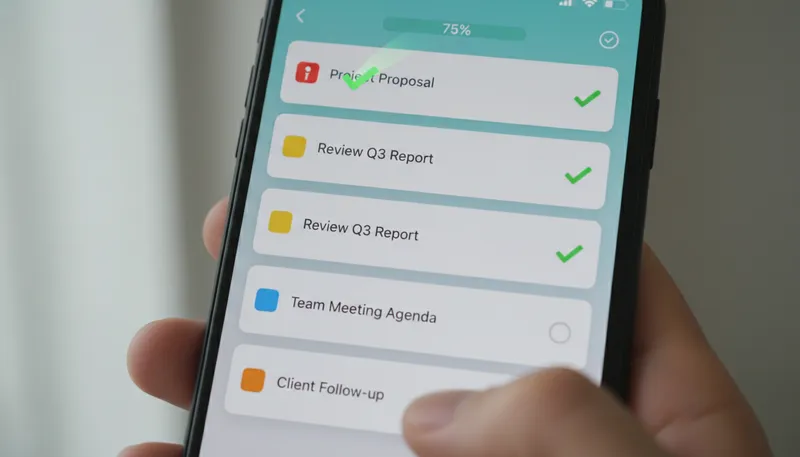
Staying organized in 2026 requires more than pen and paper. The right task management app helps you capture ideas, prioritize work, and actually get things done—whether you’re managing personal projects or coordinating with teams.
We tested the leading task management platforms, evaluating ease of use, feature sets, mobile experiences, and pricing. Here are the best apps for keeping your tasks under control.
Quick Comparison
| App | Best For | Price | Rating |
|---|---|---|---|
| 1. Todoist | Best Overall | $5/month | ★4.8/5 |
| 2. TickTick | Best for Power Users | $2.99/month | ★4.7/5 |
| 3. Microsoft To Do | Best Free Option | $0 (Free) | ★4.5/5 |
| 4. Any.do | Best for Simplicity | $4.99/month | ★4.4/5 |
| 5. Things | Best for Apple Users | $49.99 (Mac one-time) | ★4.6/5 |
Our Top Picks in Detail
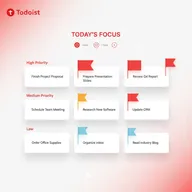
Todoist
Todoist's 2026 AI assistant sets it apart, helping you brainstorm tasks, break down projects, and automatically create checklists. With robust natural language processing and a clean interface, it's perfect for individuals and teams who want powerful task management without complexity.
Pros
- ✓Powerful AI assistant for task brainstorming
- ✓Excellent natural language processing
- ✓Clean, intuitive interface
- ✓90+ integrations across all plans
- ✓Strong free plan with 5 projects
Cons
- ✗No built-in time tracking
- ✗Limited collaboration on lower tiers
- ✗Habit tracking requires third-party integrations

TickTick
TickTick is a productivity powerhouse for users who want more than basic task management. With built-in habit tracking, Pomodoro timer, and unique Eisenhower Matrix view, it's ideal for individuals serious about personal productivity at an unbeatable price.
Pros
- ✓Built-in Pomodoro timer for focus sessions
- ✓Native habit tracking feature
- ✓Eisenhower Matrix for prioritization
- ✓Most affordable premium option ($35.99/year)
- ✓Calendar view and task duration tracking
Cons
- ✗No native AI features (as of 2026)
- ✗Web version better than mobile app
- ✗Limited free plan (9 lists, 99 tasks each)
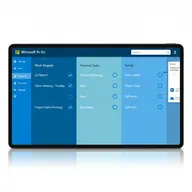
Microsoft To Do
Microsoft To Do offers robust task management at zero cost, making it perfect for individuals and teams already using Microsoft 365. The seamless Outlook and Teams integration keeps everything synchronized without paying for another subscription.
Pros
- ✓Completely free with no limitations
- ✓Seamless Microsoft 365 integration
- ✓Excellent cross-platform sync
- ✓Clean, user-friendly interface
- ✓Apple Watch support included
Cons
- ✗Limited integrations outside Microsoft ecosystem
- ✗Fewer advanced features than competitors
- ✗No habit tracking or time tracking
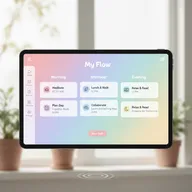
Any.do
Any.do prioritizes simplicity and visual appeal over feature density. Its calming interface and unique Moment feature make daily planning feel less stressful, perfect for users who find most task managers overwhelming rather than helpful.
Pros
- ✓Beautiful, calming interface design
- ✓Moment feature for daily planning (mobile)
- ✓WhatsApp reminders on premium plan
- ✓Mobile widgets and smartwatch support
- ✓Offline access with auto-sync
Cons
- ✗Less feature-rich than competitors
- ✗Higher price for family plan ($9.99/month)
- ✗Limited power-user features
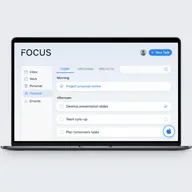
Things
Things 3 is the gold standard for task management on Apple devices. With its award-winning design, one-time purchase model, and GTD-optimized workflow, it's perfect for Mac users who value elegance and are willing to pay premium prices for quality.
Pros
- ✓Apple Design Award winner
- ✓Beautiful, polished Mac-native interface
- ✓One-time purchase (no subscription)
- ✓Free Things Cloud sync across devices
- ✓GTD-optimized workflow
Cons
- ✗Apple ecosystem only (no Android/Windows)
- ✗Expensive ($80 for all platforms)
- ✗No team collaboration features
How We Test Task Management Apps
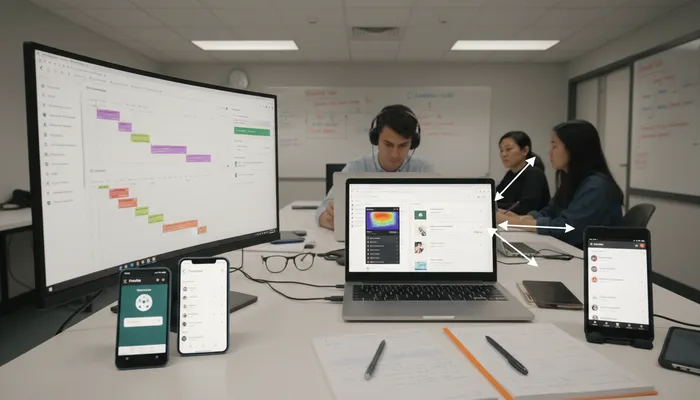
Our testing process focuses on real-world daily use:
Quick Capture
We test how fast you can add tasks:
- Input methods: Typing, voice, email forwarding
- Natural language: “Buy milk tomorrow at 3pm”
- Mobile speed: Widget access and shortcuts
- Inbox processing: How quickly you can organize incoming tasks
Organization Systems
We evaluate how apps help you stay organized:
- Projects/lists: Hierarchy and nesting capabilities
- Tags and labels: Flexible categorization
- Priority levels: Visual indicators and filtering
- Due dates: Recurring tasks and smart scheduling
Mobile Experience
We assess the quality of mobile apps:
- Widget functionality: Home screen quick access
- Offline capability: Work without internet
- Notifications: Smart reminders and daily summaries
- Wearable support: Apple Watch and Android Wear
Productivity Features
We look for tools that boost efficiency:
- Time tracking: Built-in timers and duration estimates
- Habit tracking: Daily routine monitoring
- Focus modes: Pomodoro timers and distraction blocking
- Collaboration: Sharing, assigning, and commenting
Choosing the Right Task App
For Personal Use
Todoist or TickTick offer the best balance:
- Todoist: Clean interface with AI brainstorming ($5/month)
- TickTick: Most features for the price, including habits ($2.99/month)
For Microsoft 365 Users
Microsoft To Do is the obvious choice:
- Free with seamless Outlook/Teams integration
- Syncs tasks from emails automatically
- Shared lists for family or team coordination
For Apple Enthusiasts
Things provides premium quality:
- Award-winning Mac-native design
- One-time purchase ($50 Mac, $10 iPhone, $20 iPad)
- No subscription fees
For Simplicity Seekers
Any.do removes stress from task management:
- Beautiful, calming interface
- Moment feature guides daily planning
- Less overwhelming than feature-heavy alternatives
For Power Users
TickTick delivers maximum productivity:
- Pomodoro timer built-in
- Habit tracking included
- Eisenhower Matrix for prioritization
- Best value at $35.99/year
Task Management vs Project Management
When to Use Task Management Apps
- Individual work: Personal to-do lists and goals
- Simple collaboration: Shared grocery lists, household chores
- Daily planning: What to accomplish today
- Habit building: Tracking routines and recurring activities
When to Upgrade to Project Management
- Team coordination: Multiple people working on complex projects
- Dependencies: Tasks that must happen in sequence
- Resource planning: Tracking who’s working on what
- Timeline visualization: Gantt charts and roadmaps
Many users benefit from both—using task apps for personal work and project management platforms for team initiatives.
Key Features to Look For
Essential Features
- Quick capture: Add tasks fast from any device
- Due dates & reminders: Never miss deadlines
- Mobile apps: Full-featured iOS and Android
- Cross-platform sync: Seamless updates everywhere
Productivity Boosters
- Natural language: “Remind me to call mom next Tuesday”
- Recurring tasks: Weekly meetings, daily routines
- Priority levels: Visualize what matters most
- Search & filters: Find tasks quickly
Advanced Features
- Subtasks: Break down complex items
- Templates: Reuse common task sequences
- Integrations: Connect with calendar and email
- Collaboration: Share lists and assign tasks
Power User Features
- Pomodoro timer: Built-in focus sessions (TickTick)
- Habit tracking: Monitor daily routines (TickTick)
- Time estimation: Track how long tasks take
- Productivity stats: Completion rates and trends
Frequently Asked Questions
What’s the difference between task management and to-do list apps?
They’re essentially the same thing. Task management is a more professional term for organizing to-do lists. Modern apps offer features like projects, priorities, and collaboration beyond simple checklists.
Are task management apps worth paying for?
It depends on your needs. Microsoft To Do is completely free and excellent. However, premium features like AI assistance (Todoist), habit tracking (TickTick), or unlimited projects justify paying $3-5/month for heavy users.
Which task app works best on mobile?
Todoist and TickTick have excellent mobile apps with widgets and offline support. Any.do’s Moment feature is mobile-only and particularly useful for daily planning. Things wins for iOS-only users seeking premium design.
Can I share tasks with family or team members?
Yes. Todoist Business ($8/user/month) enables team collaboration. Microsoft To Do and Any.do offer shared lists for free. TickTick allows one collaborator per list on the free plan. Things doesn’t support collaboration.
What’s the best free task management app?
Microsoft To Do offers the most robust free experience with no limitations. Todoist’s free plan (5 projects, basic features) is also excellent. TickTick’s free tier is more limited (9 lists, 99 tasks each).
Do task apps work offline?
Most modern apps cache your tasks for offline access. Any.do explicitly highlights offline capability with auto-sync. Things and Microsoft To Do also work fully offline with sync when reconnected.
How is Todoist’s AI assistant different from others?
Todoist’s 2026 AI can brainstorm task ideas, break down big projects into steps, and auto-generate checklists from broad goals. It helps overcome “blank page syndrome” when you’re not sure how to structure your work.
Should I use the same app for work and personal tasks?
It’s a personal preference. Many people keep them separate for work-life balance. However, apps like Todoist (projects), TickTick (lists), and Microsoft To Do (separate accounts) can organize both in one place.