Article
Top 10 Best Standing Desks for Better Posture & Health in 2026
Improve your health and productivity with the best standing desks. Our experts tested electric height-adjustable desks to find the perfect options for every budget.
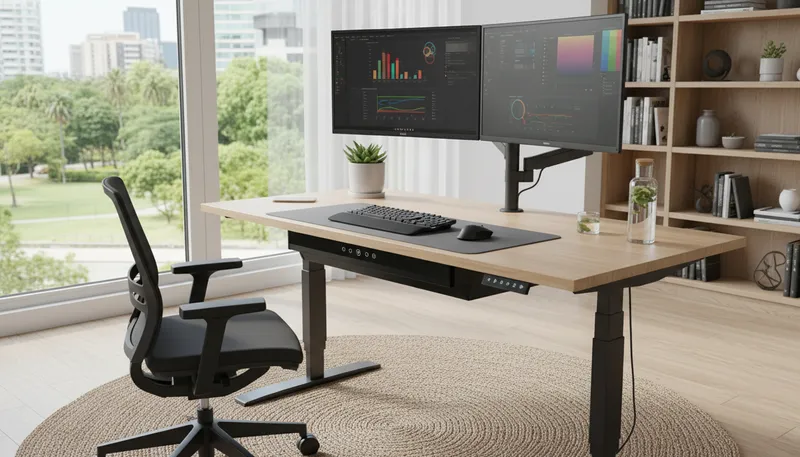
Sitting for 8+ hours daily contributes to back pain, poor posture, and long-term health issues. Standing desks let you alternate between sitting and standing throughout the day, reducing discomfort and boosting energy levels.
We tested over 60 standing desks, evaluating stability at various heights, motor quality, weight capacity, assembly difficulty, and overall value. Here are the best electric standing desks for every budget and workspace need.
Quick Comparison
| Desk | Best For | Price | Rating |
|---|---|---|---|
| 1. Uplift V2 | Best Overall | $599 | ★4.9/5 |
| 2. Fully Jarvis Bamboo | Best Eco-Friendly | $569 | ★4.8/5 |
| 3. FlexiSpot E7 Pro | Best Heavy-Duty | $649.99 | ★4.7/5 |
| 4. Vari Electric | Best for Easy Assembly | $495 | ★4.6/5 |
| 5. Branch Duo Standing Desk | Best Compact Design | $495 | ★4.5/5 |
| 6. FlexiSpot EC1 | Best Budget Option | $249.99 | ★4.4/5 |
| 7. Herman Miller Ratio | Best Premium Desk | $1,895 | ★4.5/5 |
| 8. Uplift V2 Commercial | Best for Multiple Monitors | $899 | ★4.6/5 |
| 9. Autonomous SmartDesk Pro | Best Smart Features | $549 | ★4.3/5 |
| 10. IKEA Bekant | Best for Basic Needs | $489 | ★4/5 |
Our Top Picks in Detail
Uplift V2
The Uplift V2 sets the standard for customizable standing desks with unmatched options for size, finish, and accessories. Its robust construction, generous weight capacity, and comprehensive warranty make it the best choice for serious home office setups.
Pros
- ✓Extensive customization options (30+ desktop styles)
- ✓Industry-leading 15-year warranty
- ✓Exceptional 355 lb weight capacity
- ✓Simplified one-tool assembly
- ✓Four programmable height presets
Cons
- ✗Higher price point than competitors
- ✗Desktop options can be overwhelming
- ✗Shipping times can be long
Fully Jarvis Bamboo
The Fully Jarvis combines environmental responsibility with premium performance. Its beautifully finished bamboo desktop and silent dual motors create a sophisticated workspace that's as quiet as it is sustainable.
Pros
- ✓Responsibly-sourced sustainable bamboo
- ✓Whisper-quiet operation
- ✓Smooth transitions with precise control
- ✓Four programmable favorite heights
- ✓Water-resistant durable desktop
Cons
- ✗Bamboo shows scratches more easily
- ✗Limited color options
- ✗Premium pricing for base model
FlexiSpot E7 Pro
FlexiSpot's E7 Pro handles the heaviest workloads with ease, supporting up to 440 pounds of monitors, computers, and equipment. Its extra-low minimum height also makes it ideal for shorter users or under-desk treadmill setups.
Pros
- ✓Exceptional 440 lb weight capacity
- ✓Lowest minimum height at 22.8 inches
- ✓Ultra-quiet dual motor system
- ✓Wide height range for all users
- ✓Anti-collision detection included
Cons
- ✗Heavier and more difficult to move
- ✗Higher price for heavy-duty model
- ✗Overkill for light equipment setups
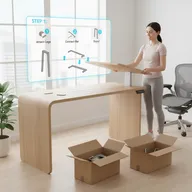
Vari Electric
Vari prioritizes simplicity without sacrificing quality. The ingenious design assembles in less than 15 minutes with minimal tools, while the waterfall-edge desktop provides ergonomic wrist support throughout your workday.
Pros
- ✓Fastest assembly - under 15 minutes
- ✓Only 8 bolts required for setup
- ✓ComfortEdge ergonomic design
- ✓Four easy-to-program presets
- ✓Good value for quality construction
Cons
- ✗Lower weight capacity than premium models
- ✗Shorter warranty period
- ✗Limited customization options
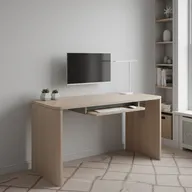
Branch Duo Standing Desk
Branch's Duo excels in tight spaces with compact dimensions and frameless design. The exceptional 52-inch height range accommodates taller users and under-desk treadmills, while tool-free assembly makes setup effortless.
Pros
- ✓Impressive 52-inch maximum height
- ✓Space-saving 36x24 inch option available
- ✓Tool-free assembly system
- ✓Built-in cable management
- ✓10-year warranty on frame
Cons
- ✗Smaller desktop sizes limit workspace
- ✗Lower weight capacity than heavy-duty options
- ✗Limited desktop material choices
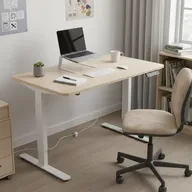
FlexiSpot EC1
The FlexiSpot EC1 proves you don't need to spend big for standing desk benefits. While it lacks premium features, it delivers reliable height adjustment at a price point that makes ergonomic workspaces accessible to everyone.
Pros
- ✓Most affordable electric standing desk
- ✓All essential features included
- ✓Simple and reliable operation
- ✓Good build quality for the price
- ✓Perfect for light to moderate use
Cons
- ✗Single motor slower than dual-motor models
- ✗Lower weight capacity limits equipment
- ✗Basic design without premium features
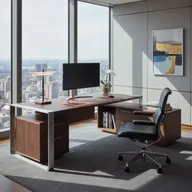
Herman Miller Ratio
Herman Miller brings their legendary furniture craftsmanship to standing desks. The Ratio desk delivers premium materials, flawless operation, and timeless design—perfect for executives and design enthusiasts willing to invest in the best.
Pros
- ✓Exceptional build quality and materials
- ✓Sophisticated design aesthetic
- ✓Ultra-smooth quiet operation
- ✓Extensive warranty coverage
- ✓Matches Herman Miller chair aesthetics
Cons
- ✗Very high price point
- ✗Limited value compared to mid-range options
- ✗Longer lead times for delivery

Uplift V2 Commercial
The Uplift V2 Commercial transforms standing desks into professional workstations capable of supporting massive multi-monitor arrays. If you're running 4+ monitors or heavy equipment, this commercial-grade desk won't wobble or sag.
Pros
- ✓Incredible 530 lb weight capacity
- ✓Rock-solid stability even at full height
- ✓Handles 3-6 monitor setups easily
- ✓Commercial-grade components
- ✓Same customization as V2 standard
Cons
- ✗Significantly more expensive
- ✗Overkill for typical single-monitor setups
- ✗Heavier unit harder to move
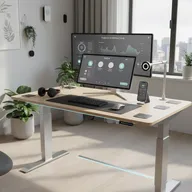
Autonomous SmartDesk Pro
Autonomous integrates smart technology to encourage healthier habits. The SmartDesk Pro tracks your sitting/standing patterns and sends reminders through your smartphone, helping you build better ergonomic routines.
Pros
- ✓App control with scheduling features
- ✓Sitting reminder notifications
- ✓Usage tracking and analytics
- ✓Solid build quality
- ✓Good price for smart features
Cons
- ✗App connectivity can be unreliable
- ✗Smart features require power even when desk is off
- ✗Shorter warranty than competitors
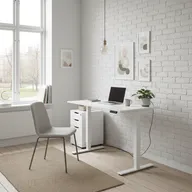
IKEA Bekant
IKEA's Bekant offers a no-frills introduction to standing desks. While it lacks the customization and capacity of premium options, it's perfect for those wanting to try standing desks without major investment, with the convenience of in-store availability.
Pros
- ✓Available for immediate pickup at IKEA stores
- ✓10-year warranty coverage
- ✓Simple Scandinavian design
- ✓Lower price point
- ✓Easy returns if unsatisfied
Cons
- ✗Lower weight capacity limits equipment
- ✗Limited desktop size and color options
- ✗Basic features compared to specialized brands
Standing Desk Buying Guide
Height Range Considerations
Your desk should accommodate both sitting and standing positions comfortably:
- For sitting: At 5’5”, look for minimum height around 28 inches; at 6’, around 30 inches
- For standing: At 5’5”, you’ll need about 39 inches; at 6’, approximately 44 inches
- Extra low: If using an under-desk treadmill, look for minimums under 25 inches
- Extra high: Taller users (6’3”+) should verify maximum height is 48+ inches
Motor Types: Single vs. Dual
The motor configuration affects speed, stability, and capacity:
Single Motor
- Uses driveshaft to connect legs
- Slower height adjustment (30-45 seconds full range)
- Lower weight capacity (typically 154-220 lbs)
- More affordable ($200-400)
- Sufficient for light setups (laptop + monitor)
Dual Motor
- Independent motor on each leg
- Faster adjustment (15-25 seconds)
- Higher capacity (275-530 lbs)
- More stable, less wobble
- Better for multi-monitor setups
Recommendation: Dual motors for serious workstations; single motor acceptable for simple setups on tight budgets.
Weight Capacity
Calculate your total desktop load:
- Each 24-27” monitor: 10-20 lbs
- Laptop: 3-7 lbs
- Desktop computer: 15-30 lbs
- Keyboard, mouse, accessories: 5-10 lbs
- Books, plants, supplies: 10-30 lbs
Add 25% safety margin. For example:
- Single monitor + laptop setup: 40 lbs → 154 lb capacity OK
- Triple monitor + desktop PC: 100 lbs → 275+ lb capacity needed
- Six-monitor trading station: 200 lbs → 440+ lb capacity required
Memory Presets
Most desks with digital controls offer 3-4 programmable height presets:
- Two-preset minimum: One for sitting, one for standing
- Four presets ideal: Sitting, standing, and two custom positions (one for different shoes, one for guests/family members)
- One-touch convenience: Program once, then single button press adjusts to perfect height
Desktop Size and Shape
Consider your workspace needs:
Width:
- 48 inches: Single monitor, laptop, minimal setup
- 60 inches: Standard dual monitor workspace
- 72 inches: Triple monitors or extensive spread
- 80+ inches: Multi-monitor arrays, collaborative work
Depth:
- 24 inches: Minimum for laptop + monitor
- 30 inches: Standard comfortable depth
- 36 inches: Better for multiple rows of items
Shape:
- Rectangular: Standard, most versatile
- L-shaped: Corner offices, separates work zones
- Curved: Ergonomic wraparound for multi-monitor setups
Stability Testing
Desk wobble increases with:
- Height (more wobble when fully extended)
- Desktop size (wider/deeper = more potential shake)
- Weight load (heavier equipment amplifies wobble)
Premium desks minimize wobble through:
- Thicker steel frames
- Dual-stage legs (telescoping design)
- Cross-bracing support
- Higher-quality motor mounts
Test stability by:
- Extending to maximum height
- Typing vigorously on keyboard
- Observing monitor shake
- Leaning on desktop edge
Cable Management
A rising desk pulls cables—good management prevents:
- Cables unplugging during adjustment
- Tangled wire mess
- Tripping hazards
Look for:
- Cable tray: Holds power strips and excess cable length under desk
- Cable clips: Route cables along desk frame
- Grommet holes: Clean pass-through for monitor/PC cables
- Desk-mounted power: Outlets that move with desk
Health Benefits of Standing Desks
Reduced Back and Neck Pain
Studies show standing desks reduce upper back and neck pain by up to 54% after just 4 weeks of use. Alternating positions prevents the compression and muscle fatigue caused by prolonged sitting.
Improved Posture
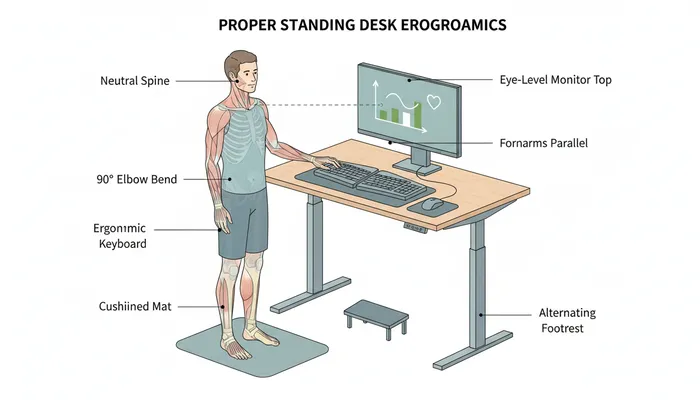
Standing encourages proper spinal alignment and core engagement. However, standing with poor posture negates benefits—focus on neutral spine, shoulders back, weight distributed evenly on both feet.
Increased Energy and Focus
Users report feeling more alert and engaged when standing versus sitting. The ability to move and shift weight keeps blood flowing and prevents the afternoon energy slump common with all-day sitting.
Calorie Burn
Standing burns approximately 50 more calories per hour than sitting. Over a year, standing 3 hours daily could burn an extra 30,000 calories—equivalent to running 10 marathons.
Reduced Disease Risk
Excessive sitting is linked to increased risk of heart disease, diabetes, and certain cancers. While standing desks aren’t a cure-all, reducing sitting time contributes to better long-term health outcomes.
Best Practices for Standing Desk Use
The 20-8-2 Rule
- 20 minutes sitting: Work while seated
- 8 minutes standing: Transition to standing position
- 2 minutes moving: Walk, stretch, or do light activity
Repeat this 30-minute cycle throughout your workday for optimal health benefits without fatigue.
Proper Standing Posture
- Monitor: Top of screen at or slightly below eye level, 20-28 inches away
- Keyboard: Elbows at 90-degree angle, wrists straight
- Feet: Shoulder-width apart, weight evenly distributed
- Knees: Slightly bent, not locked
- Core: Engaged but not tense
Use an Anti-Fatigue Mat
Standing on hard floors causes foot and leg fatigue. Anti-fatigue mats with cushioning reduce strain and encourage subtle movements that improve circulation.
Wear Supportive Footwear
Avoid barefoot standing or unsupportive shoes. Proper footwear with arch support prevents foot pain and maintains proper posture alignment.
Ease Into Standing
Don’t stand all day immediately. Start with 30-60 minute standing intervals and gradually increase as your body adapts. Muscle soreness in legs and feet is normal for the first 1-2 weeks.
Frequently Asked Questions
How long should I stand at a standing desk?
Start with 30-minute intervals and gradually increase. Aim for standing 50-75% of your workday (4-6 hours of an 8-hour day) broken into multiple sessions. Don’t stand continuously for hours—alternate between sitting and standing throughout the day.
Will a standing desk help me lose weight?
Standing burns about 50 more calories per hour than sitting. Standing for 3 hours daily could burn an extra 750 calories per week (30,000 per year), equivalent to 8-9 pounds. However, standing desks shouldn’t replace exercise—think of them as reducing sedentary time, not as weight loss tools.
Are standing desks worth the money?
If you work from home or spend 6+ hours at a desk, yes. The health benefits (reduced back pain, better posture, increased energy) and productivity gains justify the $250-1,000 investment. Budget models offer most core benefits; premium desks add customization and durability.
Can I use a standing desk if I have knee or foot problems?
Consult your doctor first. For many people with joint issues, alternating between sitting and standing reduces pain versus sitting all day. Use an anti-fatigue mat and supportive shoes. If standing aggravates symptoms, focus on frequent position changes rather than extended standing periods.
What’s the difference between electric and manual standing desks?
Electric desks adjust with motorized lift at the push of a button (15-45 seconds). Manual desks use hand crank (2-3 minutes of cranking). Electric desks cost $200+ more but are far more convenient—you’ll actually use them. Manual desks often get left in one position because adjustment is tedious.
Do I need to buy a desk from a specialty brand?
Specialty brands (Uplift, Fully, FlexiSpot) generally offer better quality, weight capacity, and warranties than general furniture brands. However, budget options from IKEA or Amazon work fine for basic setups. Avoid the cheapest models under $200—they’re often unstable and unreliable.
What desktop size should I get?
Minimum 48x24 inches for laptop + one monitor. Standard 60x30 inches comfortably fits dual monitors with room for keyboard, mouse, and supplies. Large setups with 3+ monitors need 72+ inches width. Go bigger than you think—you’ll appreciate the extra space.
Should I get a desktop or build my own?
Pre-made desktops simplify ordering and ensure proper fit. Building your own (butcher block, laminate, or solid wood) allows customization but requires measuring mounting holes precisely. Most users prefer the convenience of manufacturer desktops unless they have specific size or material requirements.