Article
Best Resume Builders in 2026
Create professional, ATS-friendly resumes that get you hired. We tested the top resume builders to help you craft the perfect resume for your job search.

Creating a standout resume is essential for landing your dream job in 2026. With applicant tracking systems (ATS) screening up to 75% of resumes before human eyes see them, you need a builder that combines professional design with smart optimization.
Our team tested dozens of resume builders, evaluating template quality, ATS compatibility, AI features, pricing, and ease of use. Here are the best resume builders to help you create a winning resume.
Quick Comparison
| Platform | Best For | Price | Rating |
|---|---|---|---|
| 1. Teal | Best Overall | Free | ★5/5 |
| 2. Kickresume | Best for Creative Design | $19/month | ★4.8/5 |
| 3. Rezi | Best for ATS Optimization | $29/month | ★4.7/5 |
| 4. Resume.io | Best for Ease of Use | $2.95/14-day trial | ★4.6/5 |
| 5. Zety | Best AI Content Suggestions | $1.95/14-day trial | ★4.5/5 |
| 6. My Perfect Resume | Best Free Features | $2.95/14-day trial | ★4.4/5 |
| 7. EnhanCV | Best for Visual Appeal | $24.99/month | ★4.3/5 |
| 8. VisualCV | Best for Online Portfolios | $19.99/month | ★4.2/5 |
| 9. Canva Resume Builder | Best for Creative Freedom | $14.99/month | ★4.1/5 |
| 10. Resume Genius | Best for Career Changers | $2.95/7-day trial | ★4/5 |
Our Top Picks in Detail

Teal
Teal dominates the resume builder market with its unbeatable free tier that includes unlimited downloads and a comprehensive job search platform. The AI-powered guidance helps you create perfectly tailored, ATS-friendly resumes while tracking your entire job search journey in one place.
Pros
- ✓Completely free for resume builder and unlimited downloads
- ✓Outstanding 5/5 stars on Google (412+ reviews)
- ✓Integrated job search and application tracker
- ✓Step-by-step guidance for ATS optimization
- ✓AI features available for $9/week premium plan
Cons
- ✗Premium AI features require paid subscription
- ✗Interface may feel busy for minimalists
- ✗Some advanced features locked behind paywall

Kickresume
Kickresume combines beautiful design with AI-powered content creation, offering the perfect balance for job seekers who want their resume to stand out visually while remaining ATS-compliant. The live preview feature and 50+ templates make it ideal for both creative and traditional careers.
Pros
- ✓Over 50 eye-catching templates for all industries
- ✓Live split-screen editing with instant preview
- ✓AI-powered content generation
- ✓Portfolio website hosting included
- ✓Excellent for creative professionals
Cons
- ✗Premium features cost $19/month ($84/year)
- ✗Can be overwhelming with so many template options
- ✗Free version has limited functionality

Rezi
Rezi excels at ensuring your resume passes applicant tracking systems with its sophisticated AI that optimizes keywords and formatting. Perfect for job seekers targeting large corporations and tech companies where ATS screening is rigorous.
Pros
- ✓Industry-leading ATS optimization technology
- ✓AI generates job-specific bullet points
- ✓Real-time ATS compatibility scoring
- ✓Keyword optimization for job descriptions
- ✓Clean, professional templates
Cons
- ✗Higher price point at $29/month
- ✗Templates lack creative variety
- ✗Focused on tech/corporate industries
Resume.io
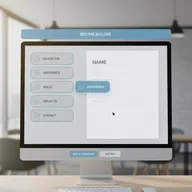
Resume.io prioritizes simplicity and speed, allowing users to create a complete professional resume in under 8 minutes. Its straightforward approach and affordable pricing make it perfect for job seekers who want quality results without complexity.
Pros
- ✓Easiest resume builder to use - 8-minute setup
- ✓Refreshingly simple and intuitive interface
- ✓Affordable pricing structure
- ✓ATS-friendly templates
- ✓Excellent for first-time resume builders
Cons
- ✗Limited advanced customization options
- ✗Requires subscription for downloads
- ✗Fewer templates than competitors
Zety
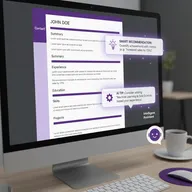
Zety balances professional design with practical AI functionality, guiding users through resume creation with intelligent suggestions while ensuring ATS compatibility. The platform's strength lies in its efficiency and the quality of its pre-written content.
Pros
- ✓Excellent AI-powered content suggestions
- ✓Step-by-step building with intelligent guidance
- ✓ATS Resume Checker with improvement tips
- ✓Ready-made professional phrases
- ✓Matching cover letter templates
Cons
- ✗Expensive after trial ($25.95/month)
- ✗Free version doesn't allow downloads
- ✗Templates can look similar across users

My Perfect Resume
My Perfect Resume offers the best free-to-build experience with a comprehensive feature set including 40+ templates and extensive AI-driven content suggestions. The annual plan provides excellent value for job seekers on a budget.
Pros
- ✓Best balance of features among free builders
- ✓Over 40 template options
- ✓Extensive pre-written content library
- ✓Affordable annual plan ($71/year = $6/month)
- ✓Free career center with job search resources
Cons
- ✗Many templates feel outdated
- ✗Interface looks slightly dated
- ✗Can have large blocks of white space
EnhanCV
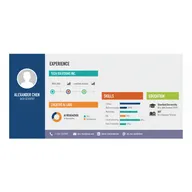
EnhanCV targets professionals who want visually striking resumes that showcase their personal brand. While it requires investment, the design quality and customization options make it ideal for designers, marketers, and creative professionals.
Pros
- ✓Sleek and visually appealing interface
- ✓Modern templates that stand out
- ✓Extensive design, font, and color options
- ✓Great for creative industries
- ✓Strong personal branding features
Cons
- ✗Premium required for full template library
- ✗Lacks support for beginner resume writers
- ✗Higher price point at $24.99/month
VisualCV
VisualCV pioneered the online resume, providing both downloadable documents and hosted web resumes with custom URLs. Perfect for tech professionals and digital natives who want an online portfolio presence alongside traditional resume formats.
Pros
- ✓Pioneer of online resume concept
- ✓Hosted web resumes with custom URLs
- ✓Performance analytics for online resumes
- ✓Free 1-page resume download
- ✓Track who views your resume
Cons
- ✗Free version limited to one page
- ✗Premium features require subscription
- ✗Less focus on traditional PDF resumes
Canva Resume Builder
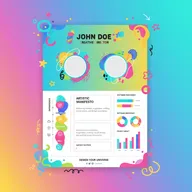
Canva offers unparalleled design flexibility with over 1,000 templates and extensive customization options. Best suited for creative professionals who prioritize visual impact and are confident in their writing abilities, though less ideal for ATS-heavy job markets.
Pros
- ✓Over 1,000 customizable templates
- ✓Unparalleled design flexibility
- ✓Drag-and-drop interface is intuitive
- ✓Great for creative fields and portfolios
- ✓Free version is quite capable
Cons
- ✗Many designs fail ATS scans
- ✗No built-in resume content suggestions
- ✗Must manually input all information
Resume Genius
Resume Genius specializes in helping career changers highlight transferable skills and pivot to new industries. Its AI-driven suggestions focus on translating your experience into relevant qualifications for your target role.
Pros
- ✓Specialized in highlighting transferable skills
- ✓Excellent for career changers and pivots
- ✓Industry-specific template recommendations
- ✓Affordable trial period
- ✓Strong career transition resources
Cons
- ✗Requires subscription after trial
- ✗Interface can feel cluttered
- ✗Limited free features
How We Test Resume Builders
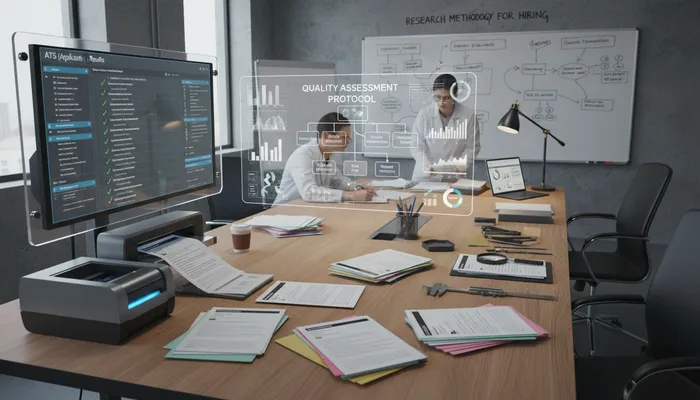
Our testing methodology evaluates both technical performance and real-world usability:
ATS Compatibility
We test how well resumes pass applicant tracking systems:
- Format testing: PDF and Word document parsing
- Keyword optimization: Job description matching
- Structure analysis: Proper heading hierarchy
- Compatibility scores: Real ATS scanning results
Template Quality
We assess design and professionalism:
- Modern aesthetics: Contemporary, professional appearance
- Industry variety: Options for all career fields
- Customization: Color, font, and layout flexibility
- Print quality: How resumes look on paper
AI and Content Features
We evaluate intelligent assistance:
- Content suggestions: Quality of pre-written phrases
- Smart recommendations: Context-aware guidance
- Grammar checking: Writing quality tools
- Skill matching: Job description alignment
User Experience
We test the building process:
- Setup time: How quickly you can create a resume
- Interface clarity: Ease of navigation
- Learning curve: Time to mastery
- Mobile experience: Smartphone usability
Choosing the Right Resume Builder
For Budget-Conscious Job Seekers
Teal offers the best free option:
- Completely free resume builder with unlimited downloads
- Job tracking and search tools included
- Premium AI features available for $9/week
For ATS-Heavy Industries
Rezi provides superior ATS optimization:
- Industry-leading keyword optimization
- Real-time ATS compatibility scoring
- Best for tech, finance, and corporate roles
For Creative Professionals
Kickresume or Canva offer design flexibility:
- Kickresume: 50+ templates with AI content assistance
- Canva: 1,000+ templates with maximum customization
For Career Changers
Resume Genius specializes in transitions:
- Highlights transferable skills effectively
- Industry-specific template recommendations
- Strong career pivot resources
Key Features to Consider
Essential Features
- ATS compatibility: Ensures your resume passes initial screening
- Professional templates: Industry-appropriate designs
- Easy editing: Simple interface for quick updates
- Multiple formats: PDF and Word downloads
Advanced Features
- AI content generation: Smart suggestions for bullet points
- Keyword optimization: Match job descriptions
- Cover letter builder: Matching professional letters
- Multiple versions: Tailor resumes for different roles
Premium Features
- Unlimited downloads: Create versions for multiple jobs
- Priority support: Get help when you need it
- Advanced analytics: Track resume performance
- Personal website: Online portfolio hosting
Frequently Asked Questions
What is an ATS-friendly resume?
An ATS-friendly resume is formatted to be easily read by Applicant Tracking Systems—software that screens resumes before humans see them. This means using standard fonts, clear section headings, avoiding images or graphics in critical areas, and including relevant keywords from the job description.
Are free resume builders any good?
Yes. Teal offers a completely free resume builder with unlimited downloads that rivals paid options. My Perfect Resume also provides excellent free building features, though downloading requires payment. However, premium builders often offer more templates, AI features, and customization options.
How much do resume builders cost?
Resume builder pricing varies widely. Free options like Teal exist, trial periods typically cost $1.95-$2.95, and full subscriptions range from $14.99-$29/month. Annual plans offer better value—My Perfect Resume costs just $71/year ($6/month).
Can I create a resume in 10 minutes?
Yes. Resume.io was tested and a complete resume was created in under 8 minutes. Most builders with pre-written content suggestions allow quick resume creation, especially if you have your work history information ready to input.
Do resume builders work with applicant tracking systems?
Most modern resume builders create ATS-compatible resumes, but some are better than others. Rezi, Teal, and Zety specifically optimize for ATS compatibility. Avoid overly creative templates from Canva or EnhanCV when applying to large corporations that use ATS screening.
Should I use a resume template or builder?
Resume builders are superior to static templates because they offer:
- Guided content creation with suggestions
- Automatic formatting and spacing
- Easy editing and version control
- ATS optimization features
- Professional design without design skills
What’s the best resume builder for 2026?
Teal is the best overall resume builder for 2026, offering unlimited free downloads, excellent ATS optimization, and integrated job search tools. For those needing premium features, Kickresume ($19/month) offers the best balance of design and functionality.
Can I trust resume builder reviews?
Look for verified reviews on independent platforms. Teal has 5/5 stars from 412+ Google reviews. Check Course Report, Trustpilot, and G2 for authentic user experiences. Be wary of builders with exclusively positive reviews or those that hide negative feedback.