Article
Best Receipt Generators in 2026
Compare the top receipt generator tools of 2026. Our experts analyzed leading online receipt makers to find the best free and paid options for creating professional receipts instantly.
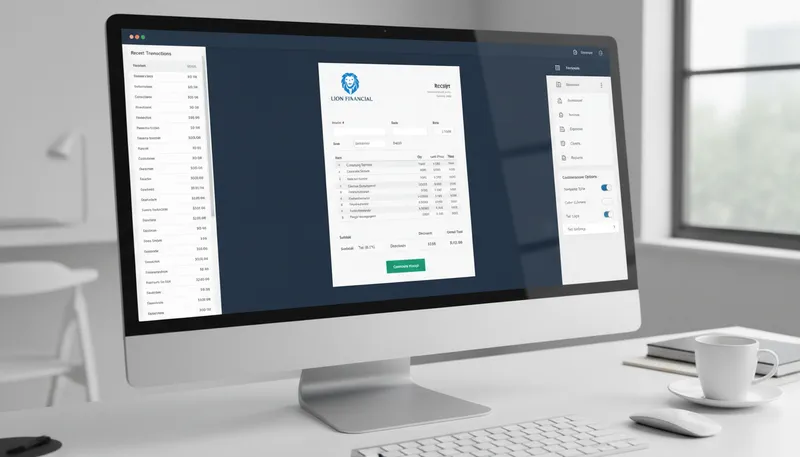
Creating professional receipts quickly is essential for any business. Whether you’re a freelancer, small business owner, or enterprise, the right receipt generator saves time, ensures accuracy, and helps maintain organized financial records.
Our team analyzed the leading receipt generator tools, comparing free features, customization options, automation capabilities, and integration with accounting software. Here are the 10 best receipt generators in 2026.
Quick Comparison
| Tool | Best For | Monthly Fee | Rating |
|---|---|---|---|
| 1. Invoice Simple | Best Overall Free Receipt Maker | $0 | ★4.8/5 |
| 2. Wave Receipt Maker | Best for Integrated Accounting | $0 | ★4.7/5 |
| 3. Zoho Invoice | Best for Customization | $0 | ★4.6/5 |
| 4. FreshBooks | Best for Freelancers | $21+ | ★4.7/5 |
| 5. ReceiptMaker.io | Best for Quick Generation | $0 | ★4.5/5 |
| 6. Templated.io | Best for Bulk Generation | $0 | ★4.6/5 |
| 7. MakeReceipt.com | Best for Custom Fields | $0 | ★4.4/5 |
| 8. Procol Receipt Generator | Best for Tax Compliance | $0 | ★4.5/5 |
| 9. Shoeboxed | Best for Physical Receipts | $29+ | ★4.6/5 |
| 10. Vencru | Best Mobile Receipt Maker | $0 | ★4.4/5 |
Our Top Picks in Detail
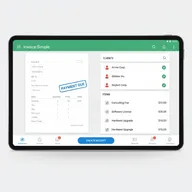
Invoice Simple
Invoice Simple offers the best free receipt maker with unlimited unbranded receipts, no account required, and seamless conversion to invoices. Its ability to save client information and send notifications when receipts are viewed makes it ideal for freelancers and small businesses needing quick, professional receipts.
Pros
- ✓100% unbranded receipts with no watermarks on free plan
- ✓No account needed to create and download receipts
- ✓Saves clients and items for future use automatically
- ✓Easily convert receipts to invoices with one click
- ✓Get notified when customers view the receipt
Cons
- ✗Advanced features require premium subscription
- ✗Limited customization options on free plan
- ✗Mobile app has additional features not in web version
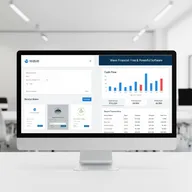
Wave Receipt Maker
Wave offers unlimited free receipts as part of its comprehensive accounting platform. With customizable templates, logo branding, and seamless integration with invoicing and expense tracking, it's perfect for small businesses wanting an all-in-one financial solution without monthly fees.
Pros
- ✓Completely free accounting software with receipt generation
- ✓Customize receipts with your logo and company colors
- ✓Integrates with Wave's invoicing and expense tracking
- ✓Professional templates with automatic calculations
- ✓Download PDFs or email receipts directly to customers
Cons
- ✗Requires account creation (unlike Invoice Simple)
- ✗Some users find the interface less intuitive than competitors
- ✗Cloud storage not included with free receipt generator

Zoho Invoice
Zoho Invoice provides the most customizable free receipt generator with three format options, custom color themes, and logo branding. While it doesn't include cloud storage, the extensive design options and automatic calculations make it ideal for businesses wanting receipts that perfectly match their brand identity.
Pros
- ✓Choose from Standard, Spreadsheet, or Compact formats
- ✓Upload business logo and select custom color themes
- ✓Automatic calculations as you enter price and quantity
- ✓Extensive customization options for advanced users
- ✓Part of Zoho's comprehensive business suite
Cons
- ✗Free Receipt Generator doesn't offer cloud storage
- ✗Must download and save receipts manually as PDFs
- ✗Learning curve for accessing all customization features

FreshBooks
FreshBooks combines receipt generation with powerful scanning and expense management tools. While it requires a paid subscription, the mobile receipt scanner that automatically extracts data and integrates with accounting makes it invaluable for freelancers managing expenses and billable hours.
Pros
- ✓Mobile receipt scanner with automatic data extraction
- ✓Captures vendor, date, and amount from receipt photos
- ✓Integrates with time and expense tracking automatically
- ✓Eliminates manual data entry and reduces errors
- ✓Automatic tax calculations and expense categorization
Cons
- ✗Requires paid subscription starting at $21/month
- ✗Receipt scanning only available on Plus plan ($33/month)
- ✗More expensive than free alternatives for basic needs
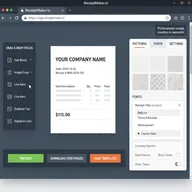
ReceiptMaker.io
ReceiptMaker.io focuses on speed and simplicity, generating professional receipts in seconds with all necessary fields and calculations. With support for logos, multiple currencies, taxes, and discounts, it's perfect for businesses needing quick, one-off receipts without complex accounting integration.
Pros
- ✓Generates receipts in seconds with Word or PDF output
- ✓Add company logo, choose currency, taxes, and discounts
- ✓Multiple patterns, colors, and fonts for professional look
- ✓No errors with automatic calculation functionality
- ✓Pro plan available for additional features
Cons
- ✗Free version may include watermark or branding
- ✗Pro features require paid upgrade
- ✗Less integration with other business tools

Templated.io
Templated.io offers unlimited free receipt generation with a powerful drag-and-drop editor and AI-powered template creation. For businesses needing bulk generation or automated workflows, the PDF Generator API makes it the best choice for scaling receipt creation efficiently.
Pros
- ✓No daily limits on free receipt generation
- ✓Drag & drop editor for easy template customization
- ✓AI Template Generator to quick-start designs
- ✓PDF Generator API for bulk and automated workflows
- ✓See changes instantly with live preview
Cons
- ✗API features require paid plan for higher usage limits
- ✗May be overkill for businesses needing simple receipts
- ✗Advanced features have learning curve
MakeReceipt.com
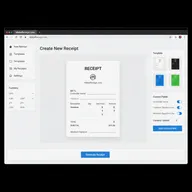
MakeReceipt.com offers extensive customization with signature lines, custom fields, and multi-currency support. The try-before-you-buy model lets you test with watermarked receipts, making it suitable for businesses needing custom receipt fields who don't mind upgrading for watermark removal.
Pros
- ✓Claims to be #1 free online receipt maker worldwide
- ✓Multiple currencies supported for any region
- ✓Add signature lines, cardholder name, and custom text
- ✓Try before you buy with watermarked free receipts
- ✓Standard, Pro, and Enterprise membership plans
Cons
- ✗Free receipts include watermark until paid upgrade
- ✗Must pay to remove branding from receipts
- ✗Pricing not clearly displayed upfront
Procol Receipt Generator
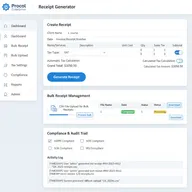
Procol leverages AI to generate unlimited receipts with accurate tax calculations and compliance features. With tailored solutions for different business sizes and bulk receipt management, it's ideal for enterprises and businesses prioritizing tax accuracy and automated receipt workflows.
Pros
- ✓Accurate tax calculations for tax compliance
- ✓Tailored solutions for small businesses, enterprises, freelancers
- ✓Manages bulk receipts with ease
- ✓AI Receipt Generator for unlimited receipts
- ✓Customizes branding and billing details completely
Cons
- ✗Newer platform with less established reputation
- ✗AI features may require learning curve
- ✗Limited user reviews compared to competitors
Shoeboxed
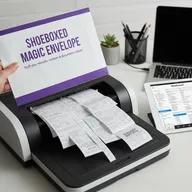
Shoeboxed is the only receipt solution that scans physical receipts for you via their Magic Envelope service. While it requires a paid subscription starting at $29/month, the ability to mail in paper receipts and have them professionally scanned and organized is invaluable for businesses managing physical documentation.
Pros
- ✓Unique Magic Envelope feature to mail in physical receipts
- ✓Someone else does the scanning and data entry for you
- ✓Integrates with Wave, Xero, and QuickBooks seamlessly
- ✓Ideal for businesses with fewer than 10 employees
- ✓Huge time-saver for small teams with paper receipts
Cons
- ✗Paid service starting at $29/month (not free)
- ✗Startup plan limited to 50 digital and 25 paper documents
- ✗Less cost-effective for businesses without physical receipts

Vencru
Vencru excels as a mobile-first receipt maker with comprehensive business management features. The ability to create receipts, convert them to invoices, and manage inventory from your smartphone with no email required makes it perfect for on-the-go business owners and mobile retailers.
Pros
- ✓Convert receipts into invoices at the click of a button
- ✓No email required for free receipt maker
- ✓Mobile app designed for businesses of all sizes
- ✓Data stored online for access anywhere
- ✓Includes invoicing, accounting, and inventory management
Cons
- ✗Mobile-first design may not appeal to desktop users
- ✗Free plan has limitations on advanced features
- ✗Less well-known than established competitors
How We Evaluate Receipt Generators

Our expert team uses a comprehensive methodology to test and compare receipt generator tools. Here’s what we evaluate:
Free vs. Paid Features
We analyze what’s included at each price point:
- Unlimited receipts: How many receipts can you generate for free
- Watermarks and branding: Whether free receipts include tool branding
- Template options: Number and quality of professional templates
- Export formats: PDF, Word, Excel, and other download options
- Account requirements: Whether you need to create an account
Customization and Branding
We test how well you can match your brand:
- Logo upload and placement options
- Color scheme and font customization
- Custom fields and additional text
- Multiple template formats and layouts
- Signature lines and authorization fields
Automation and Efficiency
We evaluate time-saving features:
- Automatic calculations for totals, taxes, and discounts
- Client and item database for repeat use
- Bulk generation capabilities and APIs
- Mobile receipt scanning with data extraction
- Integration with accounting software
User Experience
We examine ease of use:
- Intuitive interface and learning curve
- Speed of receipt creation
- Mobile responsiveness and apps
- Live preview of changes
- Error prevention and validation
Integration Capabilities
We test compatibility with business tools:
- Accounting software (QuickBooks, Xero, FreshBooks, Wave)
- Payment processors and merchant services
- Inventory management systems
- CRM and customer databases
- API availability for custom workflows
Frequently Asked Questions
What is a receipt generator?
A receipt generator is an online tool or software that creates professional receipts for business transactions. It typically includes fields for transaction details, automatic calculations, and options to customize with your business logo and branding. Receipt generators help businesses maintain organized records and provide customers with proof of purchase.
Are free receipt generators safe to use?
Yes, reputable free receipt generators like Invoice Simple, Wave, and Zoho Invoice are safe to use. However, ensure you’re using legitimate tools from trusted providers. Avoid generators that request excessive personal information or payment details unnecessarily. Always download receipts as PDFs rather than sharing sensitive business data.
Do I need an account to generate receipts?
It depends on the tool. Invoice Simple allows you to create and download receipts without creating an account, making it ideal for quick, one-off receipts. However, tools like Wave, Zoho Invoice, and FreshBooks require account creation but offer benefits like cloud storage, saved templates, and integration with other business tools.
Can I add my business logo to receipts?
Yes, most receipt generators allow you to upload your business logo for free. Invoice Simple, Wave, Zoho Invoice, and ReceiptMaker.io all support logo customization. This helps maintain brand consistency and makes receipts look more professional. Some tools also let you customize colors and fonts to match your brand.
What’s the difference between a receipt and an invoice?
A receipt is issued after payment is received, serving as proof of purchase. An invoice is sent before payment, requesting payment for goods or services. Many tools like Invoice Simple and Vencru let you convert receipts to invoices or vice versa with one click, making it easy to manage both documents.
Can receipt generators calculate taxes automatically?
Yes, most receipt generators include automatic tax calculations. Enter the tax rate for your location, and the tool will calculate the tax amount and total automatically. Tools like Procol Receipt Generator and Zoho Invoice specifically emphasize accurate tax calculations for compliance purposes.
Do receipt generators work on mobile devices?
Yes, many receipt generators are mobile-friendly. Vencru and FreshBooks offer dedicated mobile apps, while Invoice Simple, Wave, and others have responsive web interfaces that work on smartphones and tablets. FreshBooks even includes a mobile receipt scanner that captures receipt photos and extracts data automatically.
Can I generate receipts in bulk?
Yes, tools like Templated.io offer bulk generation through their PDF Generator API. For businesses needing to create many receipts at once, Procol and enterprise plans from MakeReceipt.com support bulk receipt management. For occasional bulk needs, you can often save templates and client data to speed up individual receipt creation.
How do I integrate receipt generators with accounting software?
Many receipt generators offer direct integrations with popular accounting platforms. Shoeboxed integrates with Wave, Xero, and QuickBooks. FreshBooks has built-in accounting integration. Wave receipts are automatically part of Wave’s accounting system. Check each tool’s integration page or API documentation for specific connection instructions.