Article
Best POS Systems for Small Business in 2025
Compare the top point of sale systems of 2025. Our experts analyzed leading POS solutions to find the best options for restaurants, retail stores, and service businesses.
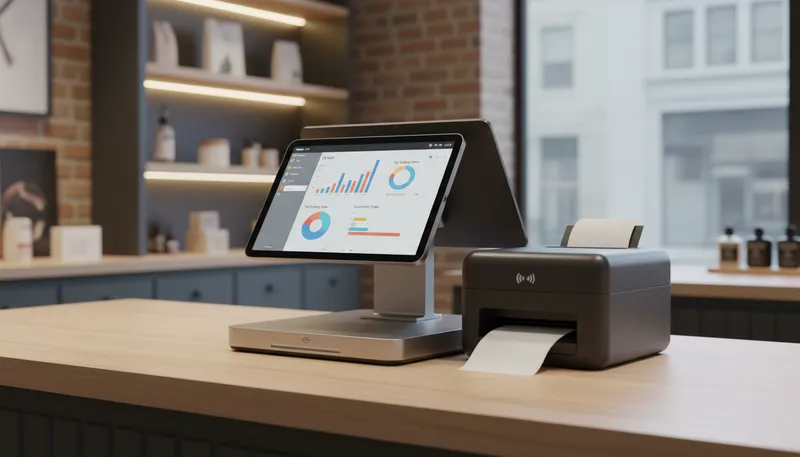
Finding the right point of sale system can transform your business operations, streamline checkout processes, and provide valuable insights into your sales performance. Whether you run a restaurant, retail store, or service business, today’s top POS systems offer powerful features at competitive prices.
Our team analyzed the leading POS providers, comparing transaction fees, hardware costs, feature sets, and user reviews. Here are the 5 best POS systems for small businesses in 2025.
Quick Comparison
| POS System | Best For | Monthly Fee | Rating |
|---|---|---|---|
| 1. Square POS | Best Overall Value | $0 | ★4.8/5 |
| 2. Toast POS | Best for Restaurants | $0-$69 | ★4.7/5 |
| 3. Clover POS | Best All-in-One Solution | $0 | ★4.6/5 |
| 4. Shopify POS | Best for Omnichannel Retail | $29-$299 | ★4.5/5 |
| 5. Lightspeed POS | Best for Multi-Location Retail | From $89 | ★4.6/5 |
Our Top Picks in Detail
Square POS
Square POS offers the best overall value with a $0 entry plan, plug-and-play hardware, and a comprehensive toolkit covering in-store, online, and mobile sales. For most US retailers, cafes, and quick-service operators, it's the fastest, least-risky route from first sale to multi-location growth.
Pros
- ✓Free plan with robust features
- ✓No long-term contracts or cancellation fees
- ✓Accepts all major payment methods including digital wallets
- ✓Free online store included with all plans
- ✓Excellent for single-location startups
Cons
- ✗Transaction fees higher for high-volume businesses
- ✗Risk of sudden account holds or terminations
- ✗Limited advanced features on free plan
Toast POS
Toast POS is a restaurant-grade system powering over 120,000 locations. Its dynamic order throttling, delivery services, and loyalty programs make it ideal for established full-service restaurants wanting faster service, fewer order errors, and tighter cost control.
Pros
- ✓Built exclusively for restaurants with specialized features
- ✓Kitchen display system with timing indicators
- ✓Tableside ordering and payment processing
- ✓Real-time inventory management with reordering
- ✓24/7 customer support and 200+ integrations
Cons
- ✗Locked into Toast hardware and payment processing
- ✗Higher pricing with many add-on charges
- ✗Android-exclusive, no iOS support
Clover POS
Clover offers an all-in-one solution with durable hardware, low processing fees, and tailored subscription plans for dining, retail, professional services, and home services. The 90-day free trial and robust app marketplace make it ideal for businesses wanting customization.
Pros
- ✓Tailored plans for six specific business types
- ✓No commissions on online ordering
- ✓Extensive app marketplace with hundreds of integrations
- ✓Low payment processing fees
- ✓Durable hardware with strong offline functionality
Cons
- ✗Requires 36-month contract with early termination fees
- ✗Proprietary hardware locks you to Fiserv processor
- ✗Limited functionality for full-service dining
Shopify POS
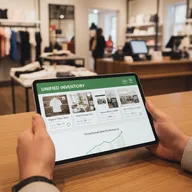
Shopify POS is the industry-leading solution for businesses selling both online and in-person. Its unified inventory system, powerful sales tools, and built-in web builder make it perfect for retail businesses wanting to expand beyond a single sales channel.
Pros
- ✓Seamless integration of online and offline sales
- ✓Unified inventory management across all channels
- ✓Works with various hardware options
- ✓Powerful ecommerce platform included
- ✓Advanced sales analytics and reporting
Cons
- ✗Cannot process cards in offline mode
- ✗Best features require Pro plan ($89/month)
- ✗Slower customer support during peak times
Lightspeed POS
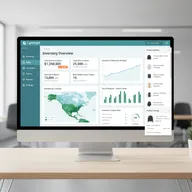
Lightspeed Retail is a specialized POS system built for multi-location and high-SKU retailers needing advanced inventory tools and strong ecommerce support. It delivers depth where complex retailers need it most, with features like automated reordering and real-time stock tracking.
Pros
- ✓Advanced inventory management with 8M+ preloaded items
- ✓Centralized control for multiple locations
- ✓Strong ecommerce integration capabilities
- ✓Comprehensive analytics and reporting
- ✓24/7 customer support with dedicated account manager
Cons
- ✗Higher pricing than entry-level competitors
- ✗Tablet-based only, no dedicated terminals
- ✗Advanced features require additional add-ons
How We Evaluate POS Systems
Our expert team uses a comprehensive methodology to test and compare POS systems. Here’s what we evaluate:
Transaction Fees and Processing Costs
We analyze the complete fee structure including:
- Card-present rates: In-person transaction fees for tap, dip, and swipe
- Card-not-present rates: Online and keyed transaction fees
- Monthly software fees: Subscription costs for different plan tiers
- Hidden charges: Setup fees, PCI compliance, and additional costs
Hardware Requirements and Flexibility
We evaluate the equipment ecosystem:
- Upfront hardware costs for terminals, tablets, and card readers
- Hardware compatibility and upgrade options
- Offline functionality and reliability
- Durability for different business environments
Feature Set and Capabilities
We test the core and advanced features:
- Inventory management: Stock tracking, reordering, and multi-location support
- Reporting and analytics: Sales insights, employee performance, and trend analysis
- Integrations: Compatibility with accounting, ecommerce, and third-party apps
- Payment options: Support for digital wallets, BNPL, and alternative payment methods
Contract Terms and Flexibility
We examine the commitment requirements:
- Contract length and early termination fees
- Processor lock-in and switching flexibility
- Free trial periods and money-back guarantees
- Scalability for business growth
Frequently Asked Questions
What is a POS system and why do I need one?
A POS (Point of Sale) system is software and hardware that processes transactions, manages inventory, tracks sales, and generates reports. Modern POS systems streamline operations, reduce errors, and provide valuable business insights that help you make data-driven decisions.
How much does a POS system cost?
POS system costs vary widely. Entry-level systems like Square start at $0/month with 2.6% + $0.15 per transaction, while more advanced systems can run $50-$150/month plus transaction fees. Hardware costs range from $59 for a basic card reader to $3,500+ for full restaurant setups.
What’s the difference between cloud-based and traditional POS systems?
Cloud-based POS systems store data online, allowing access from anywhere and automatic updates. Traditional systems store data locally on-premise. Cloud systems offer better flexibility, remote management, and lower upfront costs, making them ideal for modern businesses.
Do I need to sign a long-term contract?
Not necessarily. Many modern POS providers like Square, Shopify, and Lightspeed offer month-to-month pricing with no long-term contracts. However, some providers like Clover require 36-month commitments, often with early termination fees.
Can I use my own hardware with a POS system?
It depends on the provider. Square and Shopify work with various hardware options, including tablets you may already own. However, systems like Toast and Clover require proprietary hardware, which locks you into their ecosystem but often provides better integration.
What payment methods should my POS system accept?
Your POS should accept all major credit and debit cards (Visa, Mastercard, Amex, Discover), contactless payments (Apple Pay, Google Pay, Samsung Pay), and emerging options like buy-now-pay-later services. This ensures you never turn away customers due to payment limitations.