Article
Best Free Password Creators & Generators 2026
Find the best free password creators and generators to secure your online accounts. Compare top password tools that help protect your identity for free.
Strong, unique passwords are your first line of defense against identity theft and account breaches. Free password creators make it easy to generate secure passwords without any cost, helping protect your online identity.
Here are the best free password generators and creators available in 2026.
Quick Comparison
| Tool | Best For | Price | Rating |
|---|---|---|---|
| 1. Bitwarden Password Generator | Best Overall Free | Free | ★4.9/5 |
| 2. 1Password Generator | Best Passphrase Creator | Free tool | ★4.8/5 |
| 3. LastPass Generator | Most Customizable | Free | ★4.6/5 |
| 4. Norton Password Generator | Most Trusted Brand | Free | ★4.5/5 |
| 5. Dashlane Generator | Best User Experience | Free | ★4.5/5 |
Password Creators in Detail
Bitwarden Password Generator
Bitwarden offers the best free password generator combined with a free password vault. Being open source and independently audited, it's both secure and trustworthy.
Pros
- ✓Completely free tier
- ✓Open source and audited
- ✓Includes free password vault
- ✓Browser extensions available
- ✓Passphrase generation
Cons
- ✗Premium features require paid tier
- ✗Interface less polished than competitors
- ✗Some features need setup

1Password Generator
1Password's free online generator excels at creating memorable yet secure passphrases, making it easier to create passwords you can actually remember.
Pros
- ✓Excellent passphrase generation
- ✓Memorable password options
- ✓Clean interface
- ✓Customizable rules
- ✓No signup required to use generator
Cons
- ✗Password storage requires subscription
- ✗Limited to generator only for free
- ✗Full features need paid plan
LastPass Generator
LastPass offers extensive customization for password generation with a free tier that includes a password vault, though limited to one device type.
Pros
- ✓Highly customizable
- ✓Free vault included
- ✓Browser extension
- ✓Password strength indicator
- ✓Easy to use
Cons
- ✗Free tier limited to one device type
- ✗Recent security concerns
- ✗Premium push aggressive
Norton Password Generator
Norton's free password generator provides quick, secure password creation backed by their trusted security brand, though storage requires their paid services.
Pros
- ✓Trusted Norton brand
- ✓Simple interface
- ✓No signup required
- ✓Quick generation
- ✓Part of security ecosystem
Cons
- ✗Basic features only
- ✗No free storage
- ✗Full features require Norton 360
Dashlane Generator
Dashlane offers an excellent user experience with its free password generator and includes storage for up to 25 passwords on the free tier.
Pros
- ✓Beautiful interface
- ✓Free tier with 25 passwords
- ✓Password health analysis
- ✓Easy generation
- ✓Cross-platform
Cons
- ✗Limited free storage
- ✗Premium push
- ✗Device sync requires paid
What Makes a Strong Password?
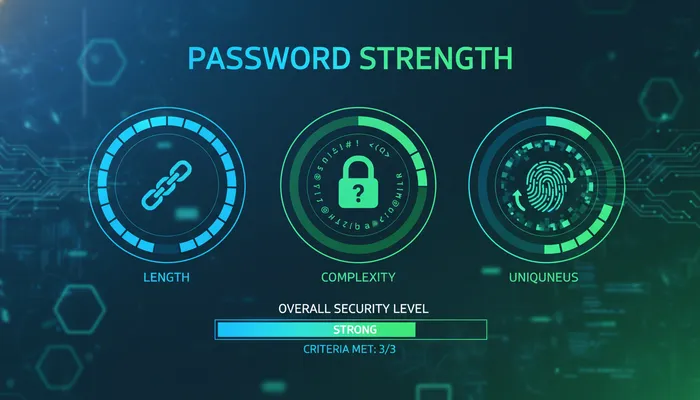
Length
- Minimum 12 characters (16+ recommended)
- Longer passwords are exponentially harder to crack
Complexity
- Mix of uppercase and lowercase letters
- Include numbers and special characters
- Avoid predictable patterns
Uniqueness
- Never reuse passwords across accounts
- Each account should have its own password
Frequently Asked Questions
Is a free password generator safe to use?
Yes, reputable free password generators from established companies are safe. They generate passwords locally or use secure methods that don’t store your passwords. Stick to well-known services like Bitwarden, 1Password, or Norton.
What is the best free password creator?
Bitwarden offers the best overall free password creator because it includes a free password vault alongside the generator, is open source, and has been independently audited for security.
How long should a generated password be?
For maximum security, generate passwords of at least 16 characters. For less critical accounts, 12 characters minimum is acceptable. Longer is always better.
Should I use a passphrase or random password?
Both are secure when properly generated. Passphrases (like “correct-horse-battery-staple”) are easier to remember but longer. Random passwords are more compact but require a password manager to remember.
Do I need a password manager with a generator?
A password manager is highly recommended. Generators create strong passwords, but you need somewhere to store them since you’ll have unique passwords for every account that are impossible to memorize.