Article
Best Invoice Templates in 2026
Compare the top invoice template providers of 2026. Our experts analyzed leading free and premium invoice templates to find the best options for creating professional, customizable invoices instantly.
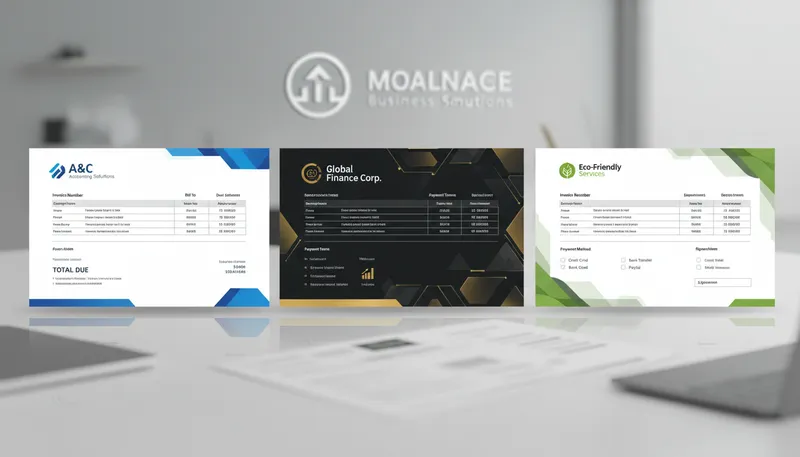
Professional invoice templates help you get paid faster while maintaining a polished brand image. The right invoice template saves time on design, ensures accuracy with automatic calculations, and makes your business look established and trustworthy.
Our team analyzed the leading invoice template providers, comparing design quality, customization options, file formats, and integration capabilities. Here are the 10 best invoice templates for businesses in 2026.
Quick Comparison
| Provider | Best For | Templates | Rating |
|---|---|---|---|
| 1. Canva Invoice Templates | Best for Design & Customization | 1,000+ | ★4.8/5 |
| 2. Invoice Home | Best Free Template Library | 100+ | ★4.7/5 |
| 3. Bonsai Invoice Templates | Best for Hourly Billing | 100+ | ★4.7/5 |
| 4. Square Invoice Templates | Best for Payment Integration | 50+ | ★4.6/5 |
| 5. FreshBooks Invoice Templates | Best for Small Business Accounting | Custom | ★4.8/5 |
| 6. Microsoft Excel Invoice Templates | Best for Excel Users | 50+ | ★4.5/5 |
| 7. Xero Invoice Templates | Best for Team Collaboration | Custom | ★4.6/5 |
| 8. QuickBooks Invoice Templates | Best for Comprehensive Features | Custom | ★4.7/5 |
| 9. WPS Office Invoice Templates | Best Free Downloadable Templates | 100+ | ★4.4/5 |
| 10. Invoice Simple Templates | Best No-Account Templates | 50+ | ★4.5/5 |
Our Top Picks in Detail
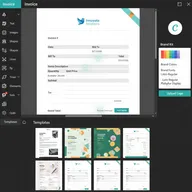
Canva Invoice Templates
Canva offers the most visually stunning invoice templates with unmatched customization options. The drag-and-drop editor, Brand Kit integration, and thousands of professionally designed templates make it perfect for creative professionals and businesses wanting invoices that stand out and reinforce brand identity.
Pros
- ✓1,000+ professional templates for every industry and style
- ✓Intuitive drag-and-drop editor with live preview
- ✓Brand Kit tools to change colors and fonts with one click
- ✓Templates for fashion, fitness, real estate, finance, marketing
- ✓Free to use with premium elements available
Cons
- ✗Requires internet connection for online editing
- ✗Some premium templates and elements require Canva Pro
- ✗May be overkill for simple, straightforward invoicing needs
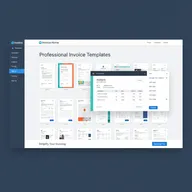
Invoice Home
Invoice Home provides 100 beautiful templates that you can customize and send via email with integrated PayPal payment options. The automatic calculations, extensive template library, and ability to use without an account make it ideal for freelancers and small businesses needing quick, professional invoices.
Pros
- ✓100 beautifully designed free templates
- ✓Send invoices directly via email or accept PayPal payments
- ✓Quick customization with company info and line items
- ✓Automatic calculation of totals, taxes, and terms
- ✓No account required for basic use
Cons
- ✗Free templates may include Invoice Home branding
- ✗Advanced features require paid subscription
- ✗Limited offline editing capabilities
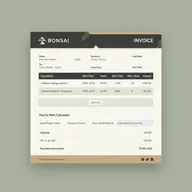
Bonsai Invoice Templates
Bonsai's invoice templates excel at hourly billing with auto-fill calculations based on your hourly rate and time worked. With 100+ professional templates and automatic tax calculations, it's perfect for freelancers, consultants, and service professionals who bill by the hour and need efficient time-based invoicing.
Pros
- ✓Auto-fill invoice totals based on hourly rate and hours worked
- ✓Easy filling of items, descriptions, quantities, and price per unit
- ✓Automatic calculation of totals and tax
- ✓Ideal for freelancers billing by the hour
- ✓100+ professionally designed templates
Cons
- ✗Focused primarily on freelance and hourly work
- ✗Full features require Bonsai subscription
- ✗May have limitations for complex product-based invoicing
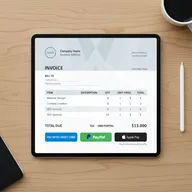
Square Invoice Templates
Square provides professional invoice templates in Word, Excel, and PDF formats that you can download and customize with your branding. The templates integrate beautifully with Square's payment processing, making it ideal for businesses already using Square who want professional invoices with seamless payment acceptance.
Pros
- ✓Downloadable templates in Word, Excel, and PDF formats
- ✓Customize with your business name, logo, and branding
- ✓Integrates seamlessly with Square payment processing
- ✓Professional touch for businesses of all sizes
- ✓No ongoing fees for template downloads
Cons
- ✗Fewer templates compared to Canva or Invoice Home
- ✗Best value when using Square's payment ecosystem
- ✗Downloaded templates require manual editing in Word/Excel
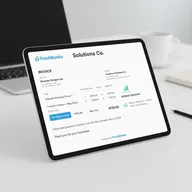
FreshBooks Invoice Templates
FreshBooks combines professional invoice templates with comprehensive accounting features including automated reminders, expense tracking, and multi-currency support. Starting at $21/month, it's ideal for small businesses and freelancers who need invoicing integrated with time tracking, expenses, and project management.
Pros
- ✓Customizable templates with logo, fonts, and color schemes
- ✓Automated payment reminders to improve cash flow
- ✓Time and expense tracking integration automatically
- ✓Multi-currency support for international clients
- ✓Project management tools available on all plans
Cons
- ✗Requires paid subscription starting at $21/month
- ✗Not ideal if you only need basic templates without accounting
- ✗Higher cost than free template alternatives
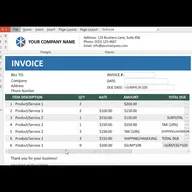
Microsoft Excel Invoice Templates
Microsoft Excel offers free invoice templates with automatic calculations and full customization for logos, colors, and fonts. Perfect for businesses already using Excel who want professional invoices with offline editing capability and the familiar spreadsheet interface for complete control over invoice formatting.
Pros
- ✓Built-in formulas calculate totals automatically
- ✓Fully customizable with logos, brand colors, and typography
- ✓Works offline once downloaded to your computer
- ✓Professional touch for solo and small business billing
- ✓Familiar Excel interface for easy editing
Cons
- ✗Requires Microsoft Excel or compatible spreadsheet software
- ✗Manual updates needed for each new invoice
- ✗No automated email delivery or payment integration
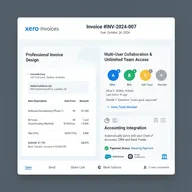
Xero Invoice Templates
Xero's invoice templates shine for team environments, offering unlimited users on all plans starting at $20/month. With multi-currency support for 160+ currencies, real-time collaboration, and 1,000+ integrations, it's ideal for growing teams needing professional invoices with comprehensive accounting features.
Pros
- ✓Unlimited users on all plans starting at $20/month
- ✓Customizable invoice templates with branding
- ✓Multi-currency support for 160+ currencies with auto-conversion
- ✓Real-time collaboration for teams of any size
- ✓Integrates with 1,000+ third-party apps
Cons
- ✗Requires paid subscription (no free plan)
- ✗Some users mention email formatting limitations
- ✗Template customization less flexible than design-focused tools
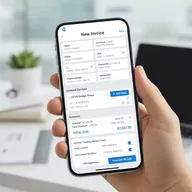
QuickBooks Invoice Templates
QuickBooks provides comprehensive invoice templates integrated with the industry-leading accounting platform. With automatic sales tax calculations, mobile apps, industry-specific tools, and advanced reporting, it's perfect for small to mid-sized businesses needing professional invoices with powerful accounting capabilities.
Pros
- ✓Professional custom invoices with logo from any device
- ✓Free mobile app to create and send invoices on the go
- ✓Automatic sales tax calculation and tracking
- ✓Industry-specific tools and in-depth reporting
- ✓1099 contractor management and inventory tracking
Cons
- ✗Higher price point starting at $30/month
- ✗May be overly complex for simple invoicing needs
- ✗Learning curve for accessing all features
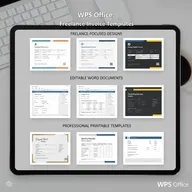
WPS Office Invoice Templates
WPS Office provides 100+ free, downloadable invoice templates designed for freelancers and professionals. Editable in Word or WPS Office with no subscription required, these templates are perfect for businesses wanting professional, printable invoices without ongoing costs or cloud-based software dependencies.
Pros
- ✓100+ completely free downloadable invoice templates
- ✓Editable and printable in Word or WPS Office
- ✓Designed specifically for freelancers and professionals
- ✓No subscription required for template downloads
- ✓Professional designs that clients can easily read
Cons
- ✗Templates require manual editing for each invoice
- ✗No cloud storage or automated features
- ✗WPS Office software less common than Microsoft Office
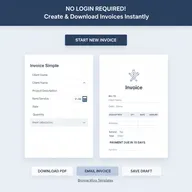
Invoice Simple Templates
Invoice Simple offers professional invoice templates with no account required, making it perfect for quick, one-off invoicing needs. The 100% unbranded templates and easy conversion between invoices and estimates make it ideal for freelancers and small businesses wanting simple, professional invoices without registration.
Pros
- ✓No account needed to create and download invoices
- ✓Easy-to-use templates with professional designs
- ✓Quick customization for immediate use
- ✓100% unbranded invoices on free plan
- ✓Convert between invoices and estimates easily
Cons
- ✗Fewer templates than Canva or Invoice Home
- ✗Advanced features require premium subscription
- ✗Limited customization compared to design-focused tools
How We Evaluate Invoice Templates

Our expert team uses a comprehensive methodology to test and compare invoice template providers. Here’s what we evaluate:
Design Quality and Variety
We assess the visual appeal and selection:
- Template quantity: Number of unique designs available
- Industry-specific options: Templates tailored for different professions
- Modern aesthetics: Contemporary designs that look professional
- Layout variations: Different structures for various needs
- Color schemes: Professional palettes that work for business
Customization Capabilities
We test how well you can make templates your own:
- Logo upload and placement options
- Font selection and typography control
- Color customization for brand consistency
- Custom fields and additional sections
- Layout flexibility and rearrangement
File Formats and Compatibility
We evaluate export and editing options:
- Download formats: PDF, Word, Excel, Google Docs compatibility
- Online vs. offline: Cloud-based or downloadable templates
- Mobile editing: Smartphone and tablet capabilities
- Print quality: Professional appearance when printed
- Email integration: Send invoices directly from the platform
Automation and Features
We examine efficiency-boosting capabilities:
- Automatic calculations for totals, taxes, and discounts
- Payment integration (PayPal, Stripe, Square, etc.)
- Recurring invoice automation
- Multi-currency support for international clients
- Client database and item libraries
Cost and Value
We analyze pricing structures:
- Free vs. paid template access
- Watermarks or branding on free templates
- Subscription requirements and ongoing costs
- Value for money compared to features offered
- Hidden fees or limitations
Frequently Asked Questions
What makes a good invoice template?
A good invoice template is professional, clearly organized, and includes all essential elements: your business information, client details, invoice number and date, itemized services or products, payment terms, and total due. It should be easy to customize with your branding and automate calculations to prevent errors.
Are free invoice templates professional enough?
Yes, many free invoice templates from providers like Canva, Invoice Home, and Microsoft Excel are highly professional. The key is choosing a clean, well-designed template and customizing it with your logo and brand colors. Free templates work well for most small businesses and freelancers.
What file format is best for invoice templates?
PDF is the best format for sending invoices as it preserves formatting across all devices and prevents accidental editing. For creating and customizing invoices, Word and Excel formats are ideal because they’re widely compatible and easy to edit. Online tools offer the convenience of cloud access.
Can I customize invoice templates with my logo?
Yes, virtually all modern invoice template providers allow logo customization. Free tools like Canva, Invoice Home, and Square let you upload your logo, while accounting platforms like FreshBooks, Xero, and QuickBooks include logo branding as a standard feature. This helps maintain professional brand consistency.
Do invoice templates calculate totals automatically?
Many invoice templates include automatic calculations. Excel and online tools like Bonsai, FreshBooks, and Xero automatically calculate subtotals, taxes, and total amounts. Downloaded Word or PDF templates may require manual calculations unless they include form fields with calculation formulas.
What’s the difference between free and paid invoice templates?
Free templates typically offer basic designs with limited customization and may include provider branding or watermarks. Paid options offer more templates, advanced customization, automation features like recurring invoices, payment integration, and accounting software integration. For occasional invoicing, free templates are usually sufficient.
Can invoice templates help me get paid faster?
Yes, professional invoice templates improve payment speed by looking trustworthy, clearly stating payment terms, and (with paid tools) enabling automated reminders and integrated payment options. Templates with “Pay Now” buttons from FreshBooks, QuickBooks, or Invoice Home make it easy for clients to pay immediately.
How do I choose between downloadable and online invoice templates?
Choose downloadable templates (Word, Excel, PDF) if you prefer offline work, need complete control over files, or invoice infrequently. Choose online templates if you want automatic calculations, payment integration, client databases, automated reminders, or need to access invoices from multiple devices and locations.
Are invoice templates legally valid?
Yes, invoice templates are legally valid as long as they include required information: your business name and contact details, client information, invoice number, date, itemized charges, payment terms, and total amount due. Check your local regulations for any additional requirements like tax IDs or specific invoice numbering systems.