Article
Best Free Phone Number Apps in 2026
Get a free virtual phone number for calls, texts, and business communication. We tested the leading VoIP services to help you find the perfect second phone number solution.
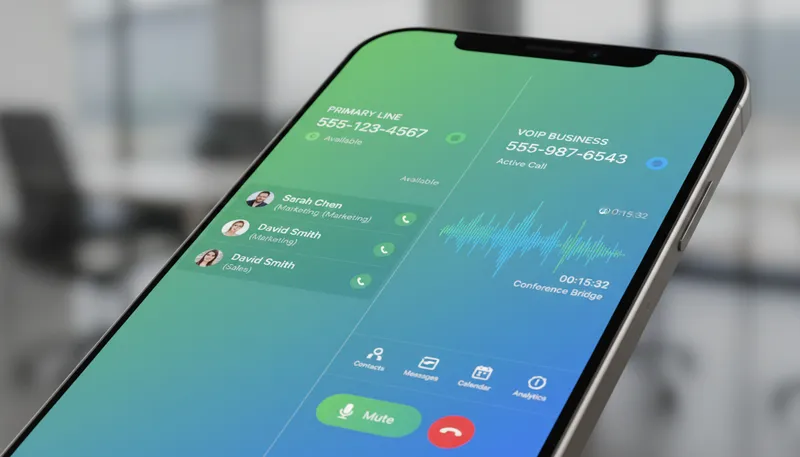
Getting a second phone number has never been easier or more affordable. Whether you’re separating personal and business communication, protecting your privacy, or building a professional presence, virtual phone number apps offer powerful VoIP solutions without additional hardware or phone lines.
Our team tested the leading free and paid virtual phone services, evaluating call quality, features, pricing, and reliability. Here are the best phone number apps for every need and budget.
Quick Comparison
| Service | Best For | Price | Rating |
|---|---|---|---|
| 1. Google Voice | Best Overall Free Option | $0 (Personal) / $10/user (Business) | ★4.7/5 |
| 2. TextNow | Best Completely Free Service | $0 (Free) / $1.99/month (Ad-Free) | ★4.5/5 |
| 3. OpenPhone | Best for Small Business | $15/user/month | ★4.6/5 |
| 4. RingCentral | Best Enterprise Solution | $20/user/month | ★4.5/5 |
| 5. Grasshopper | Best for Solopreneurs | $14/month | ★4.4/5 |
| 6. Nextiva | Best for Customer Service | $15/user/month | ★4.6/5 |
| 7. Burner | Best for Privacy | $0 (Trial) / $4.99/month per line | ★4.3/5 |
| 8. Line2 | Best Budget Business Option | $7.99/month | ★4.2/5 |
| 9. Sideline | Best for Gig Workers | $14.49/month | ★4.1/5 |
| 10. Vonage | Best Unified Communications | $13.99/line/month | ★4.4/5 |
Our Top Picks in Detail
Google Voice
Google Voice is the most popular free virtual phone number service, offering unlimited calling and texting in the US and Canada. With voicemail transcription, spam filtering, and seamless integration across devices, it's perfect for personal use or small businesses already in the Google ecosystem.
Pros
- ✓Completely free for personal use (US & Canada)
- ✓Google Workspace integration for businesses
- ✓AI-powered spam filtering and voicemail transcription
- ✓Works across all devices (phone, tablet, computer)
- ✓Number portability (bring your existing number)
Cons
- ✗Requires existing phone number to set up
- ✗Limited to US and Canada calling
- ✗No video calling (must use separate Google Meet)

TextNow
TextNow offers completely free phone service with unlimited US and Canada calling and texting over WiFi. Unlike Google Voice, you don't need an existing phone number—perfect for travelers, students, or anyone needing a free second line. The ad-free plan costs just $1.99/month.
Pros
- ✓No phone number required to sign up
- ✓Unlimited calling and texting completely free
- ✓Works over WiFi (no cellular plan needed)
- ✓Affordable international add-ons available
- ✓Perfect for temporary or secondary numbers
Cons
- ✗Ad-supported on free plan (banner ads)
- ✗Number may be reclaimed if inactive for 30 days
- ✗Call quality depends on WiFi connection

OpenPhone
OpenPhone is designed for small businesses and startups, offering shared phone numbers, team collaboration, and CRM integration. At $15/user/month, it's affordable while providing professional features like auto-attendants, call analytics, and seamless HubSpot/Salesforce integration.
Pros
- ✓Shared phone numbers for team collaboration
- ✓HubSpot and Salesforce CRM integrations
- ✓SMS auto-replies and scheduled messages
- ✓Call recording and analytics included
- ✓Affordable at $15/user for full business features
Cons
- ✗Not free (business-focused pricing)
- ✗Additional charges for extra phone numbers ($5/month)
- ✗International calling billed separately

RingCentral
RingCentral is the enterprise-grade unified communications platform, combining voice, video, messaging, and fax with 99.999% uptime. Starting at $20/user/month, it's ideal for growing businesses that need reliability, global reach, and deep integrations with tools like Salesforce and Microsoft Teams.
Pros
- ✓Unified communications (voice, video, messaging, fax)
- ✓99.999% uptime guarantee for reliability
- ✓300+ business app integrations (Salesforce, Zendesk, Office 365)
- ✓AI-powered meeting transcription and analytics
- ✓Global phone numbers in 100+ countries
Cons
- ✗More expensive than simpler alternatives
- ✗Can be overwhelming for very small teams
- ✗Full features require higher-tier plans

Grasshopper
Grasshopper is purpose-built for solopreneurs and small businesses, turning your smartphone into a professional business line. With virtual receptionist, call forwarding, and business texting starting at $14/month, it's simple and affordable for freelancers who need a professional presence.
Pros
- ✓Affordable starting at $14/month for solo users
- ✓Virtual receptionist with custom greetings
- ✓No contracts or commitments
- ✓Easy setup in minutes without hardware
- ✓Professional image for freelancers and startups
Cons
- ✗No video conferencing or team messaging
- ✗Limited to basic phone features
- ✗Not suitable for larger teams

Nextiva
Nextiva excels at customer-facing communication with robust call queuing, auto-attendant, and CRM integration. Starting at $15/user/month, it's ideal for businesses prioritizing inbound sales and support, especially those using Oracle Sales Cloud or Microsoft Dynamics.
Pros
- ✓Excellent for inbound sales and customer service
- ✓Auto-attendant and IVR included on base plan
- ✓Voicemail transcription for easy message review
- ✓Strong CRM integrations (Oracle, Microsoft Dynamics)
- ✓Video meeting recording on Engage plan
Cons
- ✗SMS limited to 100 messages/user on base plan
- ✗Advanced call center features require top-tier plan
- ✗Setup can be complex for non-technical users

Burner
Burner specializes in temporary, disposable phone numbers for privacy-conscious users. Perfect for online selling, dating apps, or any situation where you don't want to share your real number. Numbers can be 'burned' instantly, erasing all associated calls and messages.
Pros
- ✓Generate temporary, disposable phone numbers instantly
- ✓Burn numbers to permanently delete all history
- ✓Perfect for online dating, classified ads, side hustles
- ✓No commitment—use and dispose as needed
- ✓Free trial to test the service
Cons
- ✗Not suitable for long-term business use
- ✗Numbers cost $4.99/month each (prepaid credits also available)
- ✗Limited to personal privacy use cases
Line2
Line2 offers essential business phone features at the lowest price point. For $7.99/month, you get unlimited calling, texting, and auto-attendant—perfect for freelancers or very small businesses that need a professional second line without advanced features.
Pros
- ✓Most affordable business option at $7.99/month
- ✓Auto-attendant included on single-tier plan
- ✓Unlimited US & Canada calling and SMS
- ✓Simple setup with no complexity
- ✓20% discount on annual billing
Cons
- ✗No CRM integrations (Salesforce, HubSpot)
- ✗Limited advanced features (no call analytics or tagging)
- ✗Not suitable for teams needing collaboration
Sideline
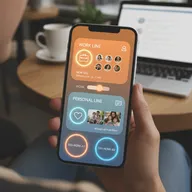
Sideline is designed for gig workers and side hustlers who need a separate business number on their existing phone. At $14.49/month, it provides auto-reply, voicemail, and call forwarding—perfect for Uber drivers, freelancers, and consultants keeping work separate.
Pros
- ✓Runs second number off your existing cell plan
- ✓Auto-reply for instant customer responses
- ✓Perfect for Uber, Lyft, freelance work
- ✓Separate your personal and work life easily
- ✓No additional hardware required
Cons
- ✗International calling only on Enterprise plan
- ✗No toll-free numbers or call recording
- ✗Limited integrations and automation

Vonage
Vonage provides unified communications in the cloud, combining VoIP calling, video meetings, and team messaging. Starting at $13.99/line/month for basic features, it's suitable for businesses wanting an all-in-one solution, though premium features like toll-free numbers and call recording cost extra.
Pros
- ✓All-in-one platform for voice, video, and messaging
- ✓HD video calls with screen sharing
- ✓CRM integration with Salesforce and HubSpot
- ✓Mobile and desktop apps for flexibility
- ✓99.999% uptime reliability
Cons
- ✗Toll-free numbers cost extra ($39.99/month add-on)
- ✗Call recording is expensive add-on ($49.99/month)
- ✗Pricing higher for very small teams (1-4 users)
How We Test Virtual Phone Services
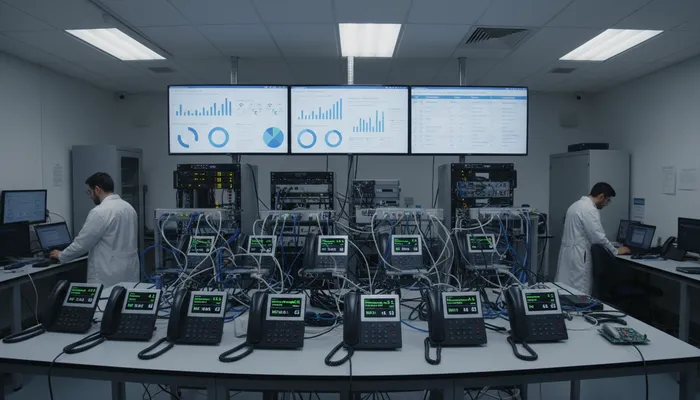
Our virtual phone number evaluation process is comprehensive and practical:
Call Quality Testing
We measure real-world voice performance:
- Audio clarity: HD voice vs standard quality codecs
- Latency: Delay between speaking and hearing
- Reliability: Drop rate and connection stability
- Network conditions: Performance on WiFi vs cellular data
Feature Completeness
We evaluate calling and business capabilities:
- Core features: Calling, texting, voicemail, call forwarding
- Business tools: Auto-attendant, IVR, call queuing, recording
- Team features: Shared numbers, collaboration, analytics
- Integrations: CRM connectivity (Salesforce, HubSpot, etc.)
Setup and Usability
We assess ease of use:
- Onboarding: How quickly can you get a number and start calling?
- Platform availability: Mobile apps, desktop apps, web access
- Interface design: Intuitive vs cluttered and confusing
- Support quality: Help documentation and customer service
Cost Analysis
We calculate true pricing:
- Free tiers: What you can actually accomplish for free
- Hidden fees: Extra charges for features, numbers, or usage
- Scalability: How costs increase as your business grows
- Value comparison: Features per dollar across competitors
Choosing the Right Virtual Phone Service
For Personal Use (Free)
Google Voice or TextNow provide free second numbers:
- Google Voice: Best integration with Google services, requires existing number
- TextNow: Completely free without needing existing phone, ad-supported
For Privacy and Temporary Use
Burner offers disposable numbers you can delete:
- Generate instant temporary numbers
- Perfect for online dating, classified ads, side hustles
- Burn numbers to permanently erase all history
For Solopreneurs and Freelancers
Grasshopper or Line2 deliver affordable business lines:
- Grasshopper: Virtual receptionist starting at $14/month
- Line2: Most affordable at $7.99/month with auto-attendant
For Small Businesses
OpenPhone or Nextiva offer professional features:
- OpenPhone: Shared numbers, CRM integration, team collaboration
- Nextiva: Strong customer service tools with call queuing
For Growing Companies
RingCentral or Vonage provide enterprise-grade solutions:
- RingCentral: 99.999% uptime, unified communications
- Vonage: All-in-one voice, video, and messaging platform
Essential Features to Consider
Basic Phone Features
- Calling and texting: Unlimited or pay-per-use
- Voicemail: Standard vs transcribed to text
- Call forwarding: Route calls to your cell phone
- Caller ID: Display your business number when calling out
- Number portability: Bring your existing number
Business Features
- Auto-attendant: Professional greeting and call routing
- IVR (Interactive Voice Response): Menu system for callers
- Call recording: Compliance and training purposes
- Analytics: Track call volume, duration, and patterns
- Business hours: Auto-reply outside working hours
Team Collaboration
- Shared phone numbers: Multiple people can use same number
- Call assignment: Route calls to specific team members
- Internal chat: Communicate with team without switching apps
- Presence indicators: See who’s available vs busy
Integration Capabilities
- CRM sync: Salesforce, HubSpot, Zoho, Pipedrive
- Calendar integration: Google Calendar, Outlook, Office 365
- Productivity tools: Slack, Microsoft Teams, Zapier
- Support software: Zendesk, Freshdesk, Help Scout
Frequently Asked Questions
Can I really get a free phone number?
Yes. Google Voice offers completely free US and Canada calling for personal use. TextNow provides free unlimited calling and texting with ads. Both give you a real phone number that works for calls, texts, and voicemail—no credit card required.
Do I need a phone plan to use these services?
Not necessarily. Apps like TextNow work over WiFi without any cellular plan. However, Google Voice requires an existing phone number to set up (though you can use it without a phone plan afterward). Most apps work best with internet access via WiFi or cellular data.
Can I use a virtual phone number for business?
Absolutely. Many small businesses use services like OpenPhone, Grasshopper, or Line2 for professional communication. These offer features like auto-attendant, voicemail transcription, and business texting that create a professional image without traditional phone systems.
Will my virtual number work for SMS verification?
Sometimes. Google Voice and most paid services work for SMS verification with banks, services, and apps. However, some companies (like WhatsApp or certain banks) block virtual numbers from verification. Free services like TextNow are more likely to be blocked.
Can I port my existing number to a virtual phone service?
Yes, most paid services support number porting. Google Voice, RingCentral, Nextiva, and OpenPhone all allow you to transfer your existing business or personal number, typically for a one-time fee ($20-30). The process usually takes 1-2 weeks.
What’s the difference between VoIP and traditional phone service?
VoIP (Voice over Internet Protocol) makes calls over the internet instead of traditional phone lines. This means lower costs, better features (like voicemail transcription), and flexibility to use the same number on multiple devices. Quality depends on your internet connection instead of cell signal.
Are virtual phone numbers secure and private?
Generally yes, but it varies by provider. Paid services like RingCentral and OpenPhone offer business-grade encryption and security. Free services are less private—Google Voice, for instance, may use call data for ad targeting. For maximum privacy, consider paid options or privacy-focused services like Burner.
Can I have multiple virtual phone numbers?
Yes. Most services let you purchase additional numbers for $5-10/month each. Google Voice allows one free personal number but charges for additional business numbers. This is useful for tracking marketing campaigns, separating departments, or providing local numbers in different area codes.
Do virtual phone numbers support emergency services (911)?
Limited support. Most VoIP services include basic 911 functionality but require you to register your physical address. However, free services like Google Voice and TextNow explicitly don’t support emergency calls. If 911 access is critical, verify support with your provider and keep a backup calling method.