Article
Best Free Email Services in 2026
Choose the perfect free email provider for personal or business use. We tested security, storage, features, and privacy across leading email services to help you find the best option.
Email remains the backbone of digital communication in 2026, with billions of people relying on it for personal and professional correspondence. Whether you prioritize privacy, storage, features, or ecosystem integration, choosing the right free email service can significantly impact your productivity and security.
Our team tested the leading free email providers, evaluating storage, privacy, features, spam filtering, and user experience. Here are the best free email services for every need and priority.
Quick Comparison
| Provider | Best For | Storage | Rating |
|---|---|---|---|
| 1. Gmail | Best Overall | 15 GB shared (Google Drive, Photos, Gmail) | ★4.8/5 |
| 2. Proton Mail | Best for Privacy | 1 GB free, up to 500 GB on paid plans | ★4.9/5 |
| 3. Outlook | Best for Microsoft Users | 15 GB email + 5 GB OneDrive | ★4.7/5 |
| 4. Yahoo Mail | Best for Storage | 20 GB free (reduced from 1 TB in 2026) | ★4.4/5 |
| 5. Zoho Mail | Best Ad-Free Business Email | 5 GB per user free | ★4.6/5 |
| 6. iCloud Mail | Best for Apple Users | 5 GB shared (iCloud, Mail, Photos, backups) | ★4.5/5 |
| 7. Mail.com | Best for Custom Domains | 65 GB email + 2 GB cloud storage | ★4.3/5 |
| 8. AOL Mail | Best for Unlimited Storage | Unlimited (with 90-day message retention) | ★4.2/5 |
| 9. GMX Mail | Best European Alternative | 65 GB email + 2 GB cloud storage | ★4.4/5 |
| 10. Fastmail | Best Premium Features | 10 GB on Starter plan | ★4.7/5 |
Our Top Picks in Detail
Gmail
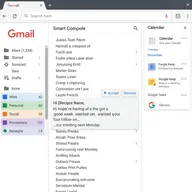
Gmail is the world's most popular email service with 1.8 billion active users for good reason. Its AI-powered spam filtering, Smart Compose, and deep Google Workspace integration make it the most powerful free email option. With 15 GB storage and excellent mobile apps, it's perfect for personal and business use.
Pros
- ✓Best-in-class AI spam filtering and phishing detection
- ✓Smart Compose and Smart Reply save time writing
- ✓Seamless integration with Google Workspace (Drive, Calendar, Meet)
- ✓Generous 15 GB free storage
- ✓Excellent search functionality across all emails
Cons
- ✗Storage shared across Google services (Drive, Photos)
- ✗Privacy concerns with data scanning for ads
- ✗Can feel overwhelming with many features

Proton Mail
Proton Mail is the gold standard for private, secure email. Based in Switzerland with end-to-end encryption and zero-access encryption, not even Proton can read your emails. Perfect for privacy-conscious users, journalists, and anyone who wants email that can't be monitored or sold.
Pros
- ✓End-to-end encryption—only you can read your emails
- ✓Swiss privacy laws protect your data (no surveillance)
- ✓Anonymous account creation (no phone number required)
- ✓No tracking pixels or IP address logging
- ✓Open-source code audited by security experts
Cons
- ✗Only 1 GB storage on free plan
- ✗Limited to 150 messages per day on free tier
- ✗Encrypted emails only work with other Proton users (unless using password protection)

Outlook
Outlook.com (formerly Hotmail) is the professional choice for Microsoft ecosystem users. With Focused Inbox AI, deep Office 365 integration, and 15 GB dedicated email storage, it's perfect for business users and anyone who values tight integration with Word, Excel, and Teams.
Pros
- ✓Focused Inbox uses AI to prioritize important emails
- ✓Email storage separate from OneDrive (unlike Gmail)
- ✓Excellent Microsoft 365 integration (Word, Excel, Teams)
- ✓Clean, professional interface with customizable themes
- ✓Superior calendar and scheduling features
Cons
- ✗Less storage than Yahoo Mail (15 GB vs 20 GB)
- ✗Free version includes ads in sidebar
- ✗Best features require Microsoft 365 subscription

Yahoo Mail
Yahoo Mail offers the most free storage among major providers at 20 GB, perfect for users with large email archives. While it reduced from 1 TB in 2026, it still beats Gmail's 15 GB. The disposable email feature helps manage spam, though the interface feels less modern than competitors.
Pros
- ✓Generous 20 GB free storage (more than Gmail)
- ✓Disposable email addresses for privacy
- ✓Built-in news, weather, and calendar widgets
- ✓Customizable inbox themes and layouts
- ✓Long-established provider (over 25 years)
Cons
- ✗Storage reduced from 1 TB to 20 GB in 2026
- ✗History of past data breaches (2013-2016)
- ✗Interface feels dated compared to Gmail

Zoho Mail
Zoho Mail is the best free email for small businesses, offering ad-free custom domain hosting for up to 5 users. With no ads, strong privacy, and integration with Zoho's productivity suite, it's perfect for startups and teams wanting professional email without Google or Microsoft.
Pros
- ✓Completely ad-free on all plans
- ✓Free custom domain email for up to 5 users
- ✓Strong privacy focus—no data mining or ads
- ✓Integrated productivity suite (calendar, tasks, notes)
- ✓Excellent for small businesses and startups
Cons
- ✗Only 5 GB storage per user (less than Gmail)
- ✗Less well-known than Gmail or Outlook
- ✗Advanced features require paid plans
iCloud Mail
iCloud Mail is the natural choice for Apple users, offering seamless integration across iPhone, iPad, and Mac. With privacy features like Mail Privacy Protection and Hide My Email, it's perfect for the Apple ecosystem, though 5 GB shared storage fills up quickly with photos and backups.
Pros
- ✓Seamless integration across iPhone, iPad, Mac
- ✓Mail Privacy Protection prevents tracking pixels
- ✓Hide My Email creates random addresses
- ✓Clean, distraction-free Apple design
- ✓Syncs perfectly with Apple Calendar and Contacts
Cons
- ✗Only 5 GB storage shared across all iCloud services
- ✗Apple-only (limited functionality on Windows/Android)
- ✗Less powerful than Gmail for organization and search

Mail.com
Mail.com stands out by offering over 200 domain choices, letting you create professional addresses like yourname@engineer.com or yourname@consultant.com. With 65 GB storage and 30 MB attachments, it's perfect for users wanting a unique, profession-specific email address.
Pros
- ✓Choose from 200+ domain names (@engineer.com, @lawyer.com, etc.)
- ✓Generous 65 GB email storage
- ✓30 MB attachment size limit (larger than most)
- ✓Built-in calendar and organizer
- ✓2 GB free cloud storage included
Cons
- ✗Interface less polished than major providers
- ✗Ads on free plan
- ✗Not as well-known or established
AOL Mail
AOL Mail offers unlimited storage with a catch—messages older than 90 days may be removed. For users who archive regularly or don't need long-term email history, it's a straightforward, reliable option with customizable spam filtering and a familiar interface.
Pros
- ✓Unlimited email storage capacity
- ✓Customizable spam filter strictness (Low, Medium, High)
- ✓Reading pane mode for inbox preview
- ✓25 MB attachment size support
- ✓Long-established, reliable service
Cons
- ✗90-day message retention (older emails may be deleted)
- ✗No custom domain support
- ✗Interface feels dated and basic
GMX Mail
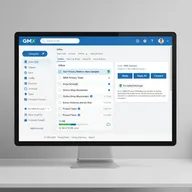
GMX Mail is a German-based email service offering 65 GB storage and strong European privacy protections. With 50 MB attachments and multi-account management, it's a solid alternative for privacy-conscious users who prefer European data protection laws over US-based providers.
Pros
- ✓Based in Germany with strong privacy laws
- ✓Generous 65 GB email storage free
- ✓50 MB attachment size limit
- ✓Manage multiple email accounts in one interface
- ✓Over 20 years of proven stability
Cons
- ✗Less well-known in North America
- ✗Interface can feel cluttered
- ✗Limited integration with other services

Fastmail
Fastmail is the premium email service for users who value speed, privacy, and professional features over free storage. At $3/month, it offers custom domains, masked emails, and zero tracking—perfect for professionals who want email that respects privacy without compromising on features.
Pros
- ✓No ads, no tracking, no data mining—pure email
- ✓Custom domains and masked email addresses included
- ✓Advanced filtering rules and automation
- ✓Fast, reliable performance (hence the name)
- ✓Excellent customer support and documentation
Cons
- ✗Not free—starts at $3/month
- ✗10 GB storage less than free Gmail (15 GB)
- ✗Less integration with popular services
How We Test Email Services

Our email service evaluation process is comprehensive and privacy-focused:
Storage and Limits
We measure practical capacity:
- Total storage: How much email you can store
- Shared vs dedicated: Whether storage is shared with other services
- Attachment limits: Maximum file size per email
- Message limits: Daily sending restrictions
Privacy and Security
We evaluate data protection:
- Encryption: In-transit vs at-rest vs end-to-end
- Privacy policy: Data mining, ad targeting, third-party sharing
- Two-factor authentication: Security options beyond passwords
- Spam filtering: Effectiveness at blocking unwanted mail
Features and Usability
We assess productivity tools:
- Organization: Labels, folders, filters, search quality
- Smart features: AI compose, priority inbox, smart replies
- Calendar integration: Scheduling and event management
- Mobile apps: Feature parity and performance on iOS/Android
Integration and Ecosystem
We test connectivity:
- Third-party apps: IMAP/POP support, OAuth integration
- Productivity suites: Document editing, cloud storage, video calls
- Cross-platform: Accessibility on Windows, Mac, Linux, mobile
- Import/export: Migrating from other email providers
Choosing the Right Email Service
For Most People
Gmail offers the best balance of features, storage, and usability:
- 15 GB free storage
- Best-in-class spam filtering and AI features
- Deep integration with Google Workspace
For Privacy-Conscious Users
Proton Mail provides maximum security and privacy:
- End-to-end encryption
- Swiss privacy laws
- No tracking or data mining
For Microsoft Ecosystem
Outlook integrates seamlessly with Office 365:
- Focused Inbox AI
- Excellent calendar and scheduling
- Tight integration with Word, Excel, Teams
For Maximum Storage
Yahoo Mail or Mail.com offer the most space:
- Yahoo: 20 GB free storage
- Mail.com: 65 GB email storage
For Small Business
Zoho Mail provides free custom domain hosting:
- Ad-free for up to 5 users
- Professional custom domain email
- Strong privacy focus
For Apple Users
iCloud Mail integrates perfectly with Apple devices:
- Seamless iPhone, iPad, Mac sync
- Privacy features (Mail Privacy Protection, Hide My Email)
- Clean Apple design
Essential Email Features to Consider
Core Email Features
- Storage capacity: How many emails and attachments you can keep
- Spam filtering: Quality of junk mail detection
- Search functionality: Finding old emails quickly
- Mobile apps: iOS and Android applications
- Offline access: Reading and composing without internet
Organization Tools
- Labels/folders: Organizing emails into categories
- Filters/rules: Automatically sorting incoming mail
- Smart inbox: AI-powered priority sorting
- Multiple accounts: Managing several email addresses
- Unified inbox: Combining accounts in one view
Privacy and Security
- Encryption: Protecting emails in transit and at rest
- Two-factor authentication: Extra login security
- Privacy policy: How your data is used
- Anonymous signup: Creating accounts without personal info
- Disposable addresses: Temporary emails for signups
Advanced Features
- Custom domains: Professional @yourcompany.com addresses
- Aliases: Multiple addresses routing to one inbox
- Auto-reply: Vacation messages and away responses
- Email scheduling: Sending messages at specific times
- Undo send: Recalling messages after sending
Frequently Asked Questions
Which free email service is most secure?
Proton Mail is the most secure free email, offering end-to-end encryption where only you can read your messages. Based in Switzerland, it benefits from strong privacy laws and doesn’t track or scan your emails for ads. For mainstream options, Gmail and Outlook offer solid security with 2FA and spam filtering.
How much storage do I really need for email?
Most users need 5-15 GB for email. Gmail’s 15 GB handles years of messages for average users. Power users with large attachments may want Yahoo’s 20 GB or Mail.com’s 65 GB. Remember that Gmail shares storage with Google Drive and Photos, while Outlook keeps email and OneDrive separate.
Can I use free email for business?
Yes, but with limitations. Zoho Mail offers free custom domain email for up to 5 users, perfect for startups. Gmail and Outlook offer professional features on free tiers but use generic @gmail.com or @outlook.com addresses. For a truly professional image, consider paid Google Workspace ($6/user) or Microsoft 365 ($6/user).
What’s the best free email for privacy?
Proton Mail offers the strongest privacy with end-to-end encryption, Swiss data protection, and no tracking. For European data protection, try GMX Mail (Germany-based). Among mainstream providers, iCloud Mail blocks tracking pixels with Mail Privacy Protection, though it’s not as private as Proton.
Can I access my email offline?
Most email services support offline access through mobile apps (iOS, Android) and desktop clients. Gmail, Outlook, and iCloud Mail allow reading and composing offline with sync when connected. Proton Mail’s apps also work offline. Web-only email requires internet connectivity.
How do I switch email providers without losing messages?
Most providers offer import tools to transfer emails from other services. Gmail and Outlook have built-in importers. You can also use email clients like Thunderbird to download messages via IMAP from your old provider and upload to the new one. Plan for 1-2 weeks to fully migrate and update accounts.
Are free email services really free?
Yes, but they’re funded differently. Gmail and Outlook show ads and may use email data for ad targeting (not reading content, but scanning for keywords). Proton Mail and Zoho Mail are ad-free. Truly private email often requires paid plans. Free services make money through ads, upselling premium features, or selling business services.
What’s the difference between IMAP and POP email?
IMAP syncs email across all devices, keeping messages on the server—ideal for checking email on phone, tablet, and computer. POP downloads email to one device and typically deletes from server—better for single-device use and privacy. Most users should choose IMAP for flexibility.
Can I get a custom domain email for free?
Yes. Zoho Mail offers free custom domain email for up to 5 users—perfect for startups. Mail.com offers 200+ domain choices (like @engineer.com). For your own domain (@yourname.com), most providers require paid plans, though Zoho’s free tier is an exception.