Article
Best CRM Software for Small Businesses & Enterprises in 2026
Find the perfect CRM to manage customer relationships, automate sales workflows, and grow your business. We compared features, pricing, and integrations of top platforms.
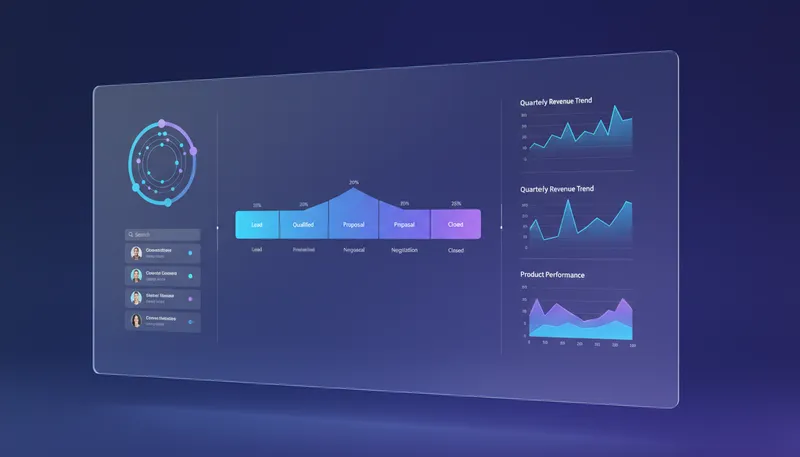
Managing customer relationships effectively is the key to business growth in 2026. Whether you’re a startup tracking your first customers or an enterprise managing complex sales cycles, the right CRM software can transform how you sell, serve, and retain customers.
Our team analyzed over 30 CRM platforms, testing features, automation capabilities, integration ecosystems, and pricing structures. Here are the best CRM solutions for every business size and need.
Quick Comparison
| CRM | Best For | Price | Rating |
|---|---|---|---|
| 1. HubSpot CRM | Best Free CRM | Free (up to 2 users) | ★4.8/5 |
| 2. Salesforce | Best for Enterprise | $25/user/month | ★4.7/5 |
| 3. Zoho CRM | Best Value | $14/user/month | ★4.6/5 |
| 4. Pipedrive | Best for Sales Teams | $14/user/month | ★4.7/5 |
| 5. Freshsales | Best for SMBs | $9/user/month | ★4.5/5 |
| 6. Monday CRM | Best for Teams | $12/user/month | ★4.4/5 |
Our Top Picks in Detail

HubSpot CRM
HubSpot CRM offers the most generous free plan in the industry with unlimited contacts and core CRM functionality. Perfect for startups and small teams, it grows with you through well-designed paid tiers that add marketing automation, advanced reporting, and team collaboration features.
Pros
- ✓Generous free tier with unlimited contacts
- ✓Intuitive interface and easy setup
- ✓All-in-one platform for marketing, sales, and service
- ✓Excellent educational resources and support
- ✓Scales from startups to enterprise
Cons
- ✗Free plan limited to 2 users (down from unlimited)
- ✗Steep price jumps between tiers
- ✗Advanced features require Professional plan ($890/mo)

Salesforce
Salesforce is the world's #1 CRM platform, offering unmatched power and flexibility for large organizations. Its comprehensive Customer 360 platform, AI capabilities, and extensive customization make it the gold standard for enterprises with complex sales processes and multiple departments.
Pros
- ✓Industry-leading customization capabilities
- ✓Massive ecosystem of third-party apps
- ✓Einstein AI for predictive analytics and insights
- ✓Scales to handle complex enterprise workflows
- ✓Comprehensive platform for entire customer lifecycle
Cons
- ✗Steep learning curve requires training
- ✗High cost for full features ($165-$330/user/mo)
- ✗Implementation can be complex and expensive

Zoho CRM
Zoho CRM delivers enterprise-level functionality at SMB-friendly prices. With its AI-powered Zia assistant, seamless integration across 55+ Zoho applications, and consistent pricing structure, it's the top choice for cost-conscious businesses that refuse to compromise on features.
Pros
- ✓Exceptional value for price
- ✓Free plan for up to 3 users
- ✓Comprehensive suite of integrated apps
- ✓Zia AI for intelligent insights and automation
- ✓No shocking price jumps between tiers
Cons
- ✗Interface less polished than competitors
- ✗Some features spread across multiple Zoho apps
- ✗Learning curve for advanced customization
Pipedrive
Pipedrive streamlines sales pipeline management with its visual, drag-and-drop interface designed specifically for sales teams. Its activity-based approach ensures reps focus on the right tasks, while AI assistance and automation help close deals faster across all pricing tiers.
Pros
- ✓Intuitive visual pipeline interface
- ✓Built by salespeople for salespeople
- ✓AI assistance included at all plan levels
- ✓Excellent mobile app for on-the-go sales
- ✓Strong focus on activity-based selling
Cons
- ✗No free plan available
- ✗Less suitable for marketing or service teams
- ✗Advanced features require higher tiers
Freshsales
Freshsales combines affordability with powerful AI automation through its Freddy AI assistant. Built-in communication tools (phone, email, chat) eliminate the need for multiple apps, making it an excellent all-in-one solution for small to medium-sized businesses focused on sales efficiency.
Pros
- ✓Very affordable entry pricing
- ✓Built-in calling, email, and chat
- ✓Freddy AI for smart automation and insights
- ✓Free plan for up to 3 users
- ✓Clean, intuitive user interface
Cons
- ✗Smaller ecosystem than Salesforce or HubSpot
- ✗Advanced AI features on higher tiers only
- ✗Limited customization compared to enterprise platforms

Monday CRM
Monday CRM stands out with its highly visual, customizable approach that combines customer relationship management with project collaboration. Ideal for marketing agencies and cross-functional teams, it adapts to your workflow rather than forcing you into a rigid structure.
Pros
- ✓Highly customizable visual interface
- ✓Best-in-class customizability (4.7/5 rating)
- ✓Combines CRM with project management
- ✓Excellent for cross-functional teams
- ✓Intuitive drag-and-drop functionality
Cons
- ✗Less traditional CRM feature set
- ✗Monthly limits on automations and integrations
- ✗Can be overwhelming with customization options
How We Test CRM Software

Our CRM evaluation process is comprehensive and business-focused:
Feature Assessment
We examine core CRM capabilities:
- Contact Management: Organization, segmentation, and data enrichment
- Sales Pipeline: Deal tracking, visual pipeline management, forecasting
- Automation: Workflow builders, triggers, and intelligent automation
- Communication Tools: Built-in email, calling, chat capabilities
Integration Testing
We test real-world connectivity:
- Email providers (Gmail, Outlook, Exchange)
- Calendar synchronization and meeting scheduling
- Marketing automation platforms
- Accounting and productivity tools
- Custom API capabilities
Usability Analysis
We evaluate the user experience:
- Setup time and learning curve
- Interface intuitiveness and design
- Mobile app functionality
- Customer support quality and availability
Value Calculation
We determine true cost-effectiveness:
- Transparent pricing without hidden fees
- Feature availability across pricing tiers
- Scalability as your business grows
- Total cost of ownership including implementation
Key CRM Features Explained
Contact & Lead Management
- Contact Database: Store unlimited customer information with custom fields
- Lead Scoring: AI-powered ranking of prospects by conversion likelihood
- Segmentation: Group contacts by behavior, demographics, or custom criteria
- Data Enrichment: Automatically populate contact details from public sources
Sales Automation
- Workflow Automation: Trigger actions based on customer behavior
- Email Sequences: Automated follow-up campaigns that nurture leads
- Task Management: Automated reminders and activity assignments
- Deal Routing: Intelligently assign leads to the right sales rep
Analytics & Reporting
- Sales Forecasting: Predict revenue based on pipeline data
- Activity Tracking: Monitor team performance and customer interactions
- Custom Dashboards: Visualize KPIs that matter to your business
- AI Insights: Machine learning predictions and recommendations
Frequently Asked Questions
What is CRM software and why do I need it?
CRM (Customer Relationship Management) software centralizes all customer interactions, sales activities, and support tickets in one place. It helps businesses track leads, automate sales workflows, and deliver better customer experiences while providing insights into sales performance and revenue forecasting.
How much does CRM software cost?
CRM pricing varies widely. Free options like HubSpot CRM offer core functionality at no cost. Entry-level paid plans range from $9-25 per user monthly (Freshsales, Zoho, Salesforce Starter). Mid-tier business plans cost $35-80 monthly, while enterprise solutions can reach $165-500+ per user monthly for advanced features and unlimited customization.
What’s the best CRM for small businesses?
For small businesses, HubSpot CRM offers the best free option with unlimited contacts. For paid solutions under budget constraints, Zoho CRM ($14/user/mo) and Freshsales ($9/user/mo) provide excellent value. If ease of use is paramount, Pipedrive’s visual interface makes it easy for small sales teams to adopt quickly.
Can I try CRM software before buying?
Yes, most CRM platforms offer free trials or free plans. HubSpot and Zoho offer permanently free plans with limitations. Salesforce, Pipedrive, and Monday CRM provide 14-30 day free trials of paid features. We recommend testing with real data and involving your actual team during trials.
How long does CRM implementation take?
Implementation time varies by platform complexity and business size. Simple CRMs like Pipedrive or Freshsales can be set up in days. HubSpot typically takes 1-2 weeks for basic setup. Enterprise Salesforce implementations often require 2-6 months including customization, data migration, and team training.
What integrations should I look for in a CRM?
Essential integrations include email (Gmail, Outlook), calendar (Google Calendar, Office 365), communication (Slack, Teams), marketing automation (Mailchimp, ActiveCampaign), and accounting software (QuickBooks, Xero). The specific integrations you need depend on your existing tech stack.
Is my customer data secure in a cloud CRM?
Reputable CRM providers implement enterprise-grade security including data encryption (in transit and at rest), SOC 2 compliance, GDPR compliance, regular security audits, and role-based access controls. Review each vendor’s security certifications and data processing agreements before committing.
Do I need technical skills to use CRM software?
Modern CRMs are designed for non-technical users. Platforms like HubSpot, Pipedrive, and Freshsales offer intuitive interfaces with drag-and-drop builders. However, advanced customization in Salesforce or Zoho may require technical expertise or dedicated administrators for optimal configuration.