Article
Best Cheapest Streaming Services in 2026
Save money with the best cheap streaming services. We compare affordable streaming options from free to $10/month so you can enjoy movies and TV without breaking the bank.

Streaming doesn’t have to break the bank. With prices ranging from completely free to just $10/month, you can enjoy thousands of movies, TV shows, and live channels without spending anywhere near what cable costs.
Our team tested the cheapest streaming services in 2026, evaluating content libraries, ad experiences, features, and overall value. Whether you want free streaming with ads or premium content under $10, we’ve found the best budget-friendly options for every viewer.
Quick Comparison
| Service | Best For | Price | Content | Rating |
|---|---|---|---|---|
| 1. Tubi | Best Free Streaming | $0.00/month | 250,000+ titles | ★4.8/5 |
| 2. Discovery+ | Best Under $5 | $4.99/month | 70+ channels content | ★4.6/5 |
| 3. Frndly TV | Best Budget Live TV | $6.99/month | 40+ live channels | ★4.5/5 |
| 4. Peacock | Best Under $10 with Live Content | $7.99/month | NBC/Universal library | ★4.5/5 |
| 5. Paramount+ | Best CBS/Paramount Value | $7.99/month | CBS/Paramount library | ★4.4/5 |
| 6. Crunchyroll | Best Budget Anime | $7.99/month | Anime library | ★4.6/5 |
| 7. Netflix (with ads) | Best Premium Content Under $10 | $7.99/month | Netflix library | ★4.7/5 |
| 8. Disney+/Hulu Bundle | Best Value Bundle | $10.99/month | Two services combined | ★4.9/5 |
| 9. Pluto TV | Best Free Live TV | $0.00/month | 250+ live channels | ★4.2/5 |
| 10. Sling Select | Best Live TV Under $20 | $19.99/month | 10+ live channels | ★4.1/5 |
Our Top Picks in Detail

Tubi
Tubi is the undisputed king of free streaming with 250,000+ titles including movies, TV shows, and 78+ live channels—all completely free with ads. Owned by Fox, it's a legitimate service with classics, cult favorites, and hidden gems you won't find on paid services.
Features
Free streaming, 78 live channels, diverse library, no signup required, family sections, rotating content
Supported Devices
Smart TVs, Roku, Fire TV, Apple TV, Chromecast, iOS, Android, Xbox, PlayStation, web browsers
Pros
- ✓Completely free with ads
- ✓Massive library of 250,000+ movies and TV shows
- ✓No account or subscription required
- ✓78+ live channels included
- ✓Owned by Fox Corporation (legitimate and safe)
Cons
- ✗Ads throughout content (4-6 minutes per hour)
- ✗Mostly older movies and shows
- ✗No offline downloads available

Discovery+
Discovery+ delivers incredible value at $4.99/month for reality TV enthusiasts. Get unlimited access to Discovery Channel, HGTV, Food Network, TLC, Animal Planet, and more with 4 simultaneous streams. Perfect for home improvement, cooking, true crime, and nature documentary fans.
Features
Reality shows, documentaries, 4 streams, offline downloads, 4K select content, ad-free option available
Supported Devices
Smart TVs, Roku, Fire TV, Apple TV, Chromecast, iOS, Android, web browsers
Pros
- ✓Extremely affordable at $4.99/month with ads
- ✓Content from Discovery, HGTV, Food Network, TLC, Animal Planet
- ✓4 simultaneous streams included
- ✓Ad-free option only $8.99/month
- ✓Great for reality TV and documentary fans
Cons
- ✗Niche appeal (no scripted dramas or films)
- ✗Some content overlaps with Max (HBO Max)
- ✗Ads on basic tier

Frndly TV
Frndly TV is an unbeatable bargain for families who love Hallmark movies, Lifetime dramas, and wholesome content. Starting at just $6.99/month for 40+ channels with 72-hour lookback, or $11.99/month for unlimited DVR—it's the cheapest live TV streaming option.
Features
Live channels, 72-hour lookback, family-friendly focus, affordable tiers, unlimited DVR (Premium)
Supported Devices
Roku, Fire TV, Apple TV, Chromecast, iOS, Android, web browsers
Pros
- ✓Incredibly cheap at $6.99/month
- ✓40+ family-friendly live channels
- ✓Includes Hallmark, Lifetime, A&E, History Channel
- ✓72-hour lookback feature
- ✓Premium tier with unlimited DVR at $11.99/month
Cons
- ✗Very limited channel selection
- ✗No sports or major news networks
- ✗Basic tier has limited features

Peacock
Peacock offers NBC and Universal content plus live sports for just $7.99/month with ads. Watch The Office, Parks and Recreation, WWE, Premier League soccer, and new NBC shows the next day. A limited free tier with ads is also available for budget-conscious viewers.
Features
NBC shows, Universal films, live sports, WWE, originals, live channels, free tier available
Supported Devices
Smart TVs, Roku, Fire TV, Apple TV, Chromecast, iOS, Android, Xbox, PlayStation, web browsers
Pros
- ✓Affordable at $7.99/month with ads
- ✓NBC and Universal content library
- ✓Live sports including Premier League, WWE, Olympics
- ✓Next-day access to current NBC shows
- ✓Limited free tier available
Cons
- ✗Ads can be frequent on basic tier
- ✗Premium Plus (ad-free) costs $13.99/month
- ✗Smaller library than Netflix or Hulu

Paramount+
Paramount+ delivers CBS, MTV, Nickelodeon, and Paramount Pictures content for just $7.99/month with ads. Get Star Trek series, Yellowstone universe shows, live CBS programming including NFL games, and kids' content—all at an affordable price point.
Features
Live CBS, Paramount films, originals, Showtime (Premium tier), downloads, local channels (some markets)
Supported Devices
Smart TVs, Roku, Fire TV, Apple TV, Chromecast, iOS, Android, Xbox, PlayStation, web browsers
Pros
- ✓Cheap at $7.99/month with ads
- ✓CBS, MTV, Nickelodeon, Comedy Central content
- ✓Live CBS in many markets
- ✓Paramount Pictures film library
- ✓Showtime included in $12.99 tier
Cons
- ✗Ads on Essential tier
- ✗Limited 4K content availability
- ✗Interface could be better

Crunchyroll
Crunchyroll is the premier budget anime streaming service. The Fan tier at $7.99/month removes ads and provides immediate access to new episodes, while Mega Fan at $9.99/month adds offline downloads and other perks. A free ad-supported tier is also available.
Features
Anime library, simulcasts, manga access, offline downloads (Mega Fan), dubbed/subbed content, free tier
Supported Devices
Smart TVs, Roku, Fire TV, Apple TV, Chromecast, iOS, Android, Xbox, PlayStation, web browsers
Pros
- ✓Affordable at $7.99/month (Fan tier, ad-free)
- ✓Largest anime library in the West
- ✓Simulcasts from Japan (episodes within hours)
- ✓Mega Fan tier at $9.99 adds offline viewing
- ✓Free tier available with ads and delays
Cons
- ✗Limited appeal outside anime fans
- ✗Free tier has ads and 1-week delays
- ✗Some content only in Japanese with subtitles

Netflix (with ads)
Netflix's ad-supported tier at $7.99/month provides affordable access to the world's most popular streaming service. While you'll see ads (4-5 minutes per hour), you get most of Netflix's award-winning originals like Stranger Things, Wednesday, and The Crown at a budget price.
Features
Netflix originals, HD streaming, 2 streams, personalized recommendations, most content library (some exclusions)
Supported Devices
Smart TVs, Roku, Fire TV, Apple TV, Chromecast, iOS, Android, Xbox, PlayStation, web browsers
Pros
- ✓Access Netflix originals for $7.99/month
- ✓Award-winning exclusive content
- ✓Most popular streaming service globally
- ✓Excellent recommendation algorithm
- ✓2 simultaneous streams included
Cons
- ✗Ads throughout content (4-5 minutes per hour)
- ✗Some content not available on ad tier
- ✗No offline downloads on ad tier

Disney+/Hulu Bundle
The Disney+/Hulu Bundle is the best streaming value in 2026—two major services for just $10.99/month with ads. Get Disney's family-friendly content plus Hulu's extensive TV library, saving 45% versus subscribing separately. The ultimate budget-friendly streaming solution.
Features
Two services, offline downloads, 4K/HDR, personalized profiles, parental controls, ESPN+ add-on available
Supported Devices
Smart TVs, Roku, Fire TV, Apple TV, Chromecast, iOS, Android, Xbox, PlayStation, web browsers
Pros
- ✓Two major services for $10.99/month
- ✓Disney, Pixar, Marvel, Star Wars, National Geographic
- ✓Hulu's extensive TV library included
- ✓Massive combined content catalog
- ✓Can add ESPN+ for $14.99 total
Cons
- ✗Ad-supported tier (ad-free costs $19.99)
- ✗Password sharing restrictions enforced
- ✗Some content still separated between apps

Pluto TV
Pluto TV delivers a free cable-like experience with 250+ live streaming channels and on-demand content. Owned by Paramount, it offers themed channels, news, sports highlights, movies, and TV shows—all free with ads. Perfect for casual viewing without subscriptions.
Features
Live channels, on-demand library, news, sports, movies, TV shows, no signup needed, unlimited streams
Supported Devices
Smart TVs, Roku, Fire TV, Apple TV, Chromecast, iOS, Android, web browsers
Pros
- ✓Completely free with ads
- ✓250+ live streaming channels
- ✓Cable-like channel surfing experience
- ✓Owned by Paramount (legitimate service)
- ✓On-demand content library included
Cons
- ✗Ads every 10-15 minutes
- ✗Channels are curated, not traditional cable
- ✗No DVR or recording capability

Sling Select
Sling Select is the most affordable live TV streaming option at $19.99/month with 10+ channels including local networks in many markets. While basic, it provides 50 hours of DVR and 3 streams. For $45.99/month, upgrade to Sling Orange or Blue for 30-40 channels.
Features
Live local channels (market dependent), cloud DVR, day passes, 3 streams, customizable add-ons
Supported Devices
Roku, Fire TV, Apple TV, Chromecast, iOS, Android, Xbox, smart TVs, web browsers
Pros
- ✓Cheapest cable-like service at $19.99/month
- ✓Local channels in some markets (ABC, NBC, Fox)
- ✓50 hours cloud DVR included
- ✓3 simultaneous streams
- ✓Day passes available for $4.99
Cons
- ✗Very limited channel selection (10-15)
- ✗Local availability varies by market
- ✗Upgrade to Orange/Blue ($45.99) for more channels
How We Evaluate Budget Streaming Services
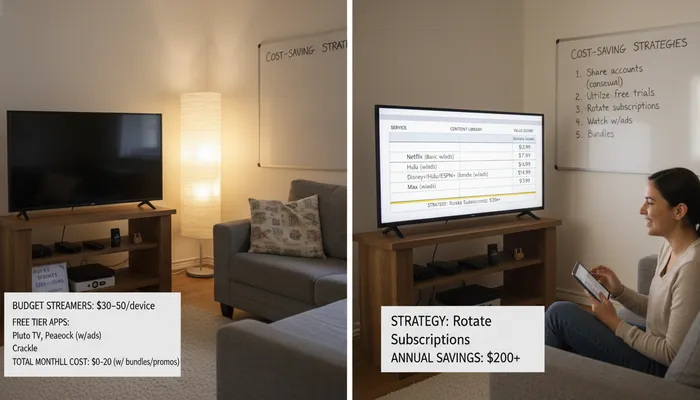
Our comprehensive testing methodology focuses on value and affordability:
Price-to-Value Ratio
We measure what you get for your money:
- Cost per month: Lower prices scored higher
- Content quantity: Size of available library
- Content quality: Mix of new releases, classics, and exclusives
- Features included: Streams, DVR, downloads at base price
- Hidden costs: Additional fees or required upgrades
Ad Experience Assessment
For ad-supported services, we evaluate:
- Ad frequency: How often ads appear
- Ad length: Total minutes of ads per hour
- Ad intrusiveness: Skippable vs. forced viewing
- Content interruption: Mid-content vs. pre-roll only
- Overall experience: How ads impact viewing enjoyment
Content Library Analysis
We thoroughly review available content:
- Library size: Total number of titles
- Content freshness: How often new content is added
- Popular titles: Availability of trending shows and movies
- Exclusive content: Originals and exclusives
- Content variety: Coverage across genres and interests
Features and Functionality
We test essential features:
- Simultaneous streams: Multi-user household support
- Video quality: HD, 4K availability
- Offline downloads: Watch without internet
- User interface: Ease of navigation and discovery
- Device support: Compatibility across platforms
Maximizing Streaming Value
Free Streaming Services
Several legitimate free options offer thousands of titles:
Tubi: 250,000+ titles with ads
- No signup required
- Owned by Fox Corporation
- 78+ live channels included
Pluto TV: 250+ live channels
- Cable-like experience
- Owned by Paramount
- On-demand library included
The Roku Channel: 150+ channels
- Free on all Roku devices
- Premium add-ons available
- Mix of live and on-demand
Xumo: 250+ channels
- Owned by Comcast
- No account needed
- Live and on-demand content
Budget Bundle Strategies
Combine services for maximum value:
Disney+/Hulu Bundle ($10.99/month with ads)
- Two major services
- Save 45% vs. separate subscriptions
- Add ESPN+ for $14.99 total
Verizon Bundles
- Netflix + Max: $10/month with ads (save $9)
- Disney Bundle: $10/month (save $10)
- Available to Verizon customers
Walmart+ ($98/year)
- Free Paramount+ or Peacock
- Switch services quarterly
- Plus shopping benefits
Subscription Rotation
Save money by rotating subscriptions:
- Month 1-2: Subscribe to Service A, binge content
- Month 3-4: Cancel A, subscribe to Service B
- Month 5-6: Cancel B, subscribe to Service C
- Repeat: Cycle through services as new content releases
This strategy can save $50-100+ annually while accessing all major platforms.
Take Advantage of Free Trials
Test before committing with free trials:
- Paramount+: 7 days
- Discovery+: 7 days
- Frndly TV: 7 days
- Crunchyroll: 14 days
- Peacock: Limited free tier (no trial needed)
Annual Payment Savings
Some services offer annual discounts:
- Peacock: $79.99/year (save $16)
- Discovery+: $48.99/year (save $11)
- Paramount+: Sometimes offers annual deals
Pay annually when you’re committed to save 10-20%.
Understanding Budget Streaming Tiers
Free with Ads
Completely free services supported by advertising:
Pros:
- Zero cost
- No credit card required
- Large content libraries
- Legitimate and legal
Cons:
- Frequent ads (4-6 minutes per hour)
- Mostly older content
- No offline downloads
- Limited features
Best for: Casual viewers, budget-conscious families, supplementing paid services
$5-10 with Ads
Premium content at budget prices with ads:
Pros:
- Access to quality content
- Current shows and movies
- Reasonable ad experience
- Professional quality
Cons:
- Still have ads (4-5 minutes per hour)
- Limited compared to ad-free tiers
- May restrict downloads
Best for: Budget-conscious viewers who want current content and can tolerate ads
Under $10 Bundles
Multiple services combined for value:
Pros:
- Two or more services for one low price
- Massive combined libraries
- Significant savings vs. separate subscriptions
- Best overall value
Cons:
- Usually ad-supported
- May require navigating multiple apps
- Password sharing restrictions
Best for: Families, households with diverse viewing preferences
Smart Budget Streaming Tips
1. Audit Your Current Subscriptions
Review what you’re actually paying:
- List all current streaming subscriptions
- Check monthly charges (prices increase regularly)
- Cancel unused services
- Consolidate with bundles
Average household wastes $50+/month on unused subscriptions.
2. Set a Streaming Budget
Decide your maximum monthly spend:
- Ultra-budget: $0-10/month (Free services + one paid)
- Budget: $10-20/month (1-2 services or bundles)
- Moderate: $20-40/month (2-3 premium services)
- Generous: $40-60/month (3-4 services, still less than cable)
3. Prioritize Your Favorites
Choose based on viewing habits:
- Family with kids: Disney+/Hulu Bundle ($10.99)
- Sports fans: Peacock ($7.99) for Premier League, WWE
- Reality TV fans: Discovery+ ($4.99)
- Anime fans: Crunchyroll ($7.99)
- Everything: Tubi (Free) + Disney+/Hulu Bundle ($10.99) = $10.99 total
4. Share Responsibly
Many services allow household sharing:
- Disney+/Hulu: 2 simultaneous streams
- Netflix: 2-4 streams depending on tier
- Peacock: 3 streams
- Discovery+: 4 streams
Share within your household to maximize value. Note: Password sharing outside households often violates terms of service.
5. Use Library Cards
Many public libraries offer free streaming:
- Hoopla: Movies, TV, music, audiobooks
- Kanopy: Art house films, documentaries
- OverDrive: Audiobooks and ebooks
Free with your library card!
Frequently Asked Questions
What’s the cheapest streaming service with good content?
The Disney+/Hulu Bundle at $10.99/month offers the best value, providing two major services with extensive libraries. For completely free options, Tubi offers 250,000+ titles with ads. If you want premium content under $5, Discovery+ at $4.99/month is excellent for reality TV and documentaries.
Are free streaming services legal and safe?
Yes! Services like Tubi (owned by Fox), Pluto TV (owned by Paramount), The Roku Channel, and Xumo (owned by Comcast) are completely legitimate and safe. They’re ad-supported, which is how they make money. Avoid suspicious sites promising “free Netflix” or similar—those are illegal.
How much can I save compared to cable TV?
Cable averages $100-150/month. Budget streaming alternatives:
- Ultra-budget: Tubi (free) + Pluto TV (free) = $0/month (save $100-150)
- Budget: Disney+/Hulu Bundle ($10.99) = $10.99/month (save $90-140)
- Moderate: Disney+/Hulu ($10.99) + Netflix with ads ($7.99) + Peacock ($7.99) = $26.97/month (save $75-125)
Even with 3-4 services, you’ll save $50-100+/month vs. cable.
Can I watch live TV on budget streaming services?
Yes! Several affordable live TV options exist:
- Frndly TV: $6.99/month for 40+ channels
- Sling Select: $19.99/month for 10+ channels
- Pluto TV: Free with 250+ live channels
- Peacock: $7.99/month includes live sports and NBC
- Philo: $28/month for 70+ entertainment channels
For full cable replacement, expect to pay $45-90/month (still cheaper than cable).
What’s the difference between free and paid streaming?
Free Streaming (Tubi, Pluto TV):
- Ad-supported (4-6 minutes per hour)
- Mostly older content
- No offline downloads
- Unlimited viewing at no cost
Paid Streaming ($5-20/month):
- Fewer ads or ad-free options
- Current shows and new releases
- Offline downloads available
- Premium features and quality
Both are legitimate options—choose based on budget and content preferences.
How many streaming services should I have?
It depends on your budget and viewing habits:
Budget-conscious: 1-2 services
- Example: Disney+/Hulu Bundle ($10.99) + Tubi (free) = $10.99/month
Average household: 2-3 services
- Example: Disney+/Hulu ($10.99) + Netflix ($7.99) + Peacock ($7.99) = $26.97/month
Enthusiasts: 3-4+ services
- Example: Add Max, Prime Video, or specialty services
Most households need 2-3 services to cover diverse viewing preferences while staying under $30/month.
Can I save money by paying annually?
Yes! Some services offer annual discounts:
- Peacock: $79.99/year (vs $95.88 monthly) - save $16
- Discovery+: $48.99/year (vs $59.88 monthly) - save $11
- Amazon Prime: $139/year (vs $179.88 monthly) - save $40
Annual payment saves 10-20% but requires upfront commitment.
Are ad-supported tiers worth it?
For budget-conscious viewers, absolutely! Ad-supported tiers offer:
Savings:
- Netflix: $7.99 with ads vs $17.99 ad-free (save $10/month)
- Hulu: $9.99 with ads vs $18.99 ad-free (save $9/month)
- Disney+/Hulu Bundle: $10.99 with ads vs $19.99 ad-free (save $9/month)
Trade-off:
- 4-5 minutes of ads per hour (vs 16-20 minutes on cable)
- Some content restrictions
- Usually no offline downloads
If you can tolerate ads, you’ll save $60-120+/year per service.
Can I rotate subscriptions to save money?
Yes! Subscription rotation is perfectly legal and smart:
- Subscribe to Service A
- Binge your favorite shows (1-2 months)
- Cancel before next billing cycle
- Subscribe to Service B
- Repeat as desired
Most services allow easy cancellation with no penalties. This strategy lets you access all platforms throughout the year while only paying for one at a time, saving $50-100+ annually.
What if I want live sports on a budget?
Budget live sports options:
- Peacock ($7.99/month): Premier League, WWE, Sunday Night Football
- Paramount+ ($7.99/month): Champions League, NFL on CBS
- Sling TV Orange ($45.99/month): ESPN, ESPN2, ESPN3
- FuboTV ($84.99/month): Most comprehensive (but pricier)
For occasional sports, consider day passes (Sling offers $4.99 day passes).