Article
Best Budgeting Apps in 2025 - Top 10 Money Management Tools
Take control of your finances with the best budgeting apps for 2025. We reviewed YNAB, Monarch Money, Simplifi, and more to help you track spending, save money, and reach your financial goals.
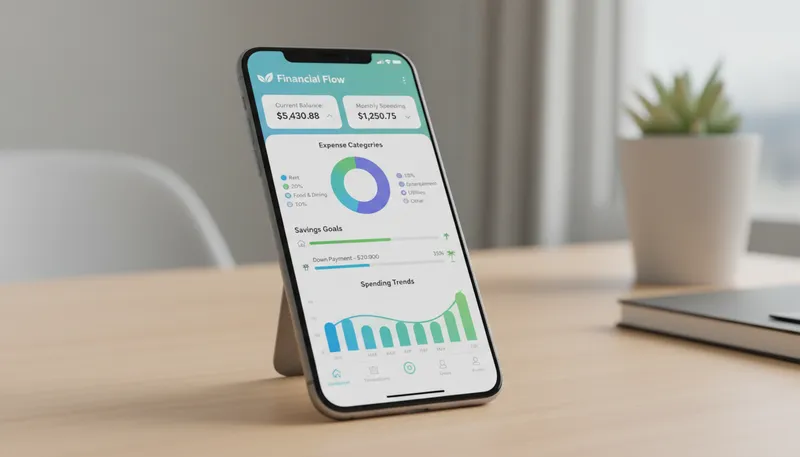
Budgeting doesn’t have to feel restrictive—the right app transforms it into a tool for freedom and financial peace of mind. Whether you want to break the paycheck-to-paycheck cycle, save for big goals, or simply know where your money goes, today’s budgeting apps make money management accessible and even enjoyable.
We tested the leading budgeting apps for 6 months, tracking real spending, evaluating features, and comparing costs. Here are the 10 best budgeting apps to take control of your finances in 2025.
Quick Comparison
| App | Best For | Price | Rating |
|---|---|---|---|
| 1. Monarch Money | Best Overall Budgeting App | $8.33/month (annual) | ★4.9/5 |
| 2. YNAB (You Need a Budget) | Best for Zero-Based Budgeting | $14.99/month or $109/year | ★4.8/5 |
| 3. Simplifi by Quicken | Best for Beginners | $2.99/month (annual billing) | ★4.7/5 |
| 4. Rocket Money | Best for Subscription Management | $7-$14/month (choose your price) | ★4.6/5 |
| 5. PocketGuard | Best for Spending Awareness | $12.99/month or $74.99/year | ★4.5/5 |
| 6. Goodbudget | Best for Envelope Budgeting | $10/month or $80/year | ★4.4/5 |
| 7. EveryDollar | Best for Dave Ramsey Fans | $17.99/month or $79.99/year | ★4.4/5 |
| 8. Copilot Money | Best for Apple Users | $13/month or $95/year | ★4.5/5 |
| 9. Empower Personal Dashboard | Best for Investment Tracking | Free | ★4.3/5 |
| 10. Acorns | Best for Automatic Micro-Investing | $3-$12/month | ★4.2/5 |
Our Top Picks in Detail

Monarch Money
Monarch Money emerged as the best overall budgeting app after 6 months of real-world testing. Its Mint-like familiarity, superior bank connectivity, and collaborative features justify the $8.33/month cost. Winner of WSJ's and Forbes' Best Budgeting App awards.
Pros
- ✓Best-in-class bank connectivity
- ✓Excellent collaboration for couples/families
- ✓Robust net worth tracking
- ✓WSJ and Forbes award winner
- ✓Mint-like familiarity with better features
Cons
- ✗No free version (trial only)
- ✗$99.99 annual fee
- ✗Overkill for simple budgets
YNAB (You Need a Budget)
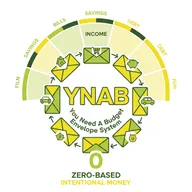
YNAB's zero-based budgeting forces you to assign every dollar a job, breaking the paycheck-to-paycheck cycle. While it requires more effort than automated apps, users report average savings of $600 in the first two months and $6,000 in the first year.
Pros
- ✓Proven zero-based budgeting methodology
- ✓Excellent for breaking paycheck-to-paycheck cycle
- ✓Free for college students (1 year)
- ✓Strong educational resources
- ✓Loan payoff simulator included
Cons
- ✗Steepest learning curve
- ✗Higher price ($14.99/month)
- ✗Requires ongoing user effort

Simplifi by Quicken
Simplifi revolutionizes budgeting with its 'Spending Plan' that shows available funds right now based on income, bills, and goals. Its unique 12-month cash flow forecast and $2.99/month price make it ideal for beginners wanting simplicity.
Pros
- ✓Extremely affordable ($2.99/month)
- ✓Unique 'Spending Plan' approach
- ✓12-month cash flow forecasting
- ✓Popular with former Mint users
- ✓Intuitive interface
Cons
- ✗No collaboration features
- ✗Annual billing required
- ✗Limited compared to Monarch Money
Rocket Money
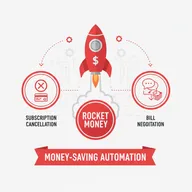
Rocket Money automatically identifies recurring subscriptions and helps cancel unwanted ones. The bill negotiation feature can lower monthly costs, often paying for itself. While not a comprehensive budgeting tool, its pay-what-you-wish pricing ($7-$14) adds value.
Pros
- ✓Free version available
- ✓Pay-what-you-wish premium ($7-$14)
- ✓Automatic subscription detection
- ✓Bill negotiation service included
- ✓Credit score tracking
Cons
- ✗Focused on subscriptions, not full budgeting
- ✗Limited control over finances
- ✗Premium required for best features

PocketGuard
PocketGuard's signature 'In My Pocket' feature calculates exactly how much you can safely spend after accounting for bills, goals, and necessities. While the free version is now limited to a 7-day trial, the $74.99 annual plan provides clear spending guidance.
Pros
- ✓Unique 'In My Pocket' feature
- ✓Shows exactly what's safe to spend
- ✓Simple, focused interface
- ✓Bill tracking and reminders
- ✓Debt payoff planning
Cons
- ✗Free version now just 7-day trial
- ✗Higher monthly cost ($12.99)
- ✗Limited advanced features

Goodbudget
Goodbudget digitizes the classic envelope budgeting method where you allocate money to specific categories. The free version (limited envelopes, no bank sync) teaches the method, while Premium ($80/year) adds unlimited envelopes and bank connectivity.
Pros
- ✓True envelope budgeting system
- ✓Free version available
- ✓Up to 5 devices with Premium
- ✓Great for couples budgeting together
- ✓Emphasizes planning over tracking
Cons
- ✗Free version doesn't sync bank accounts
- ✗Must manually enter all transactions
- ✗Limited envelopes in free version
EveryDollar
EveryDollar brings Dave Ramsey's zero-based budgeting philosophy to life. The free version requires manual transaction entry, while Premium ($79.99/year) adds bank syncing and custom reports. Ideal for those following Ramsey's Baby Steps financial plan.
Pros
- ✓Free version with manual entry
- ✓Zero-based budgeting framework
- ✓Integrates with Dave Ramsey's Baby Steps
- ✓Simple, streamlined interface
- ✓14-day free trial for Premium
Cons
- ✗No bank sync in free version
- ✗Limited features vs. YNAB
- ✗Best for Ramsey method followers
Copilot Money
Copilot Money is exclusively designed for Apple users, offering the sleekest interface in budgeting. Its AI learns from your behavior to automatically categorize transactions, reducing manual work. At $95/year, it's worth it for those committed to the Apple ecosystem.
Pros
- ✓Most beautiful interface (Apple-exclusive)
- ✓AI-powered transaction categorization
- ✓Bubble charts and cash flow timelines
- ✓Learns from your behavior over time
- ✓Reduces administrative burden
Cons
- ✗Apple devices only (no Android)
- ✗$95 annual cost
- ✗Limited to iOS ecosystem

Empower Personal Dashboard
Empower Personal Dashboard excels as a free Mint replacement for those prioritizing investment tracking and net worth monitoring. While budgeting features are basic, the investment analysis dashboard shows asset allocation, performance, and retirement progress—all completely free.
Pros
- ✓Completely free with full features
- ✓Best-in-class investment tracking
- ✓Net worth monitoring over time
- ✓Retirement planning tools
- ✓Free portfolio review available
Cons
- ✗More investment-focused than budgeting
- ✗Basic spending tracking
- ✗Upsells wealth management services

Acorns
Acorns rounds up purchases to the nearest dollar and invests the difference automatically. While not a traditional budgeting app, its $3-$12/month plans include checking accounts, retirement accounts, and kids' investment accounts—making saving effortless.
Pros
- ✓Automatic round-up investing
- ✓Only $5 minimum to start
- ✓Kids investment accounts included
- ✓Retirement accounts available
- ✓Educational content library
Cons
- ✗$3/month fee steep for small balances
- ✗More investing than budgeting
- ✗No traditional budget categories
How We Evaluate Budgeting Apps

Our real-world testing methodology evaluates budgeting apps across the factors that impact your daily money management.
Pricing and Value
We analyze the complete cost structure:
- Free versions: What’s included vs. upgrade triggers
- Monthly and annual pricing: Total cost per year
- Value for money: Features provided relative to cost
- Hidden fees: Account limits, bank syncs, or user restrictions
- Trial periods: Time to test before committing
Core Features
We test the essential budgeting capabilities:
- Bank account syncing and reliability
- Transaction categorization (manual vs. automatic)
- Budget creation and customization
- Bill tracking and reminders
- Savings goals and progress tracking
- Spending insights and reports
Methodology and Approach
We evaluate the budgeting philosophy:
- Zero-based budgeting: Assigning every dollar (YNAB, EveryDollar)
- Envelope system: Digital cash envelopes (Goodbudget)
- Spending plan: Available funds tracking (Simplifi, PocketGuard)
- Automated tracking: Hands-off approach (Monarch, Rocket Money)
- Planning vs. tracking: Forward-looking or historical
User Experience
We assess the daily usability:
- Interface design and visual clarity
- Mobile app quality and speed
- Learning curve and onboarding
- Customization flexibility
- Cross-device synchronization
Frequently Asked Questions
What happened to Mint?
Intuit shut down Mint on March 23, 2024, redirecting users to Credit Karma. However, 67% of Mint users chose third-party alternatives instead. The top replacements are Monarch Money (23%), YNAB (18%), Rocket Money (14%), and Simplifi—all featured in our top picks above.
Are budgeting apps worth paying for?
Yes, if the app helps you save more than it costs. At $8.33/month, Monarch Money pays for itself if it helps you avoid one $100 overspending mistake annually. YNAB users report saving an average of $600 in the first two months—far exceeding the $14.99/month cost.
Are budgeting apps safe?
Reputable apps use bank-level 256-bit encryption, read-only access (can’t move money), and multi-factor authentication. They don’t store your banking passwords—they use secure APIs to connect. Look for apps that are SOC 2 certified and have strong privacy policies.
What’s the best free budgeting app?
Empower Personal Dashboard is the best completely free option with bank syncing, though it’s more focused on investments. For traditional budgeting, EveryDollar and Goodbudget offer free versions with manual transaction entry. Rocket Money has a limited free tier focused on subscription tracking.
Do I need to sync my bank accounts?
No, but it’s much more convenient. Manual entry (available in free versions of YNAB, EveryDollar, and Goodbudget) requires discipline but gives you hands-on awareness of every transaction. Bank syncing automates tracking but can create “set it and forget it” complacency if you’re not careful.
What’s zero-based budgeting?
Zero-based budgeting means assigning every dollar of income to a specific category (bills, savings, spending) until you reach zero dollars unassigned. This method, used by YNAB and EveryDollar, ensures intentional money decisions and eliminates wondering “where did my money go?”
Can budgeting apps help me save money?
Yes, awareness drives behavior change. Studies show people who track spending save 10-15% more on average. Apps that identify subscriptions (Rocket Money), highlight overspending (PocketGuard), or enforce intentional allocation (YNAB) create accountability that naturally reduces wasteful spending.