Article
Top 10 Best AI App Builders in 2026
Build apps without coding using the best AI app builders and no-code platforms. Compare features, pricing, and capabilities to find the perfect tool for creating mobile and web applications.

Building mobile and web applications traditionally requires months of development and significant technical expertise. AI-powered no-code and low-code app builders have democratized app development, enabling anyone to create functional applications through visual interfaces and plain English prompts.
Our team tested leading AI app builders and no-code platforms to evaluate ease of use, capabilities, AI features, and value. Here are our top recommendations for 2026.
Quick Comparison
| Platform | Best For | Starting Price | Rating |
|---|---|---|---|
| 1. Glide | Best for Business Apps | $25/month | ★4.8/5 |
| 2. FlutterFlow | Best for Native Mobile Apps | $30/month | ★4.7/5 |
| 3. Adalo | Best for Beginners | $36/month (annual) | ★4.6/5 |
| 4. Bubble | Best for Complex Web Apps | $29/month | ★4.5/5 |
| 5. Draftbit | Best Low-Code Option | $19/month | ★4.6/5 |
| 6. Thunkable | Best Free Option | $13/month (annual) | ★4.4/5 |
| 7. AppSheet (Google) | Best for Google Workspace | Includedwith Workspace | ★4.5/5 |
| 8. Softr | Best for Existing Databases | $59/month | ★4.4/5 |
| 9. Microsoft Power Apps | Best for Enterprise | $5/user/month | ★4.3/5 |
| 10. GoodBarber | Best for E-commerce Apps | $30/month | ★4.5/5 |
Our Top Picks in Detail
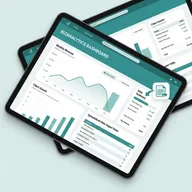
Glide
Glide transforms spreadsheets into polished web apps and PWAs with AI-powered features. Perfect for small to medium businesses creating internal tools, CRMs, or dashboards without technical expertise.
Pros
- ✓Creates apps from spreadsheets instantly
- ✓Beautiful pre-built templates
- ✓AI-powered automation included
- ✓Integrates with Airtable, Google Sheets
- ✓No coding required at all
Cons
- ✗No native mobile apps (PWA only)
- ✗Cannot export source code
- ✗Pricing scales with users

FlutterFlow
FlutterFlow bridges no-code and traditional development by generating real Flutter code you can export. Ideal for teams wanting native mobile apps with the flexibility to customize code when needed.
Pros
- ✓Full native app export (iOS/Android)
- ✓Export Flutter source code
- ✓No vendor lock-in
- ✓Visual logic builder included
- ✓GitHub integration available
Cons
- ✗Learning curve steeper than pure no-code
- ✗Requires understanding of app concepts
- ✗Mobile-focused (web is secondary)

Adalo
Adalo offers the most beginner-friendly interface for creating native mobile and web apps. While you can't export code, the platform's simplicity and extensive templates make it perfect for non-technical founders launching MVPs.
Pros
- ✓Most intuitive drag-and-drop interface
- ✓Creates real native mobile apps
- ✓Extensive template library
- ✓Publishes to App Store and Google Play
- ✓Free plan available to start
Cons
- ✗No source code export
- ✗Limited to Adalo platform
- ✗Scaling costs increase with users

Bubble
Bubble is the most powerful no-code platform for building complex web applications with sophisticated databases and workflows. Best for technical founders or teams willing to invest time learning the platform for maximum flexibility.
Pros
- ✓Most powerful no-code platform
- ✓Complex database and workflow support
- ✓Extensive plugin marketplace
- ✓Full web app capabilities
- ✓Large community and resources
Cons
- ✗Steep learning curve
- ✗Web apps only (no native mobile)
- ✗Performance can be slow

Draftbit
Draftbit combines visual app building with full React Native code export, offering flexibility for teams that may need developer customization. Perfect for projects starting no-code but potentially requiring custom development later.
Pros
- ✓Exports React Native source code
- ✓Blends visual building with coding
- ✓No vendor lock-in
- ✓Professional developer support
- ✓Full customization possible
Cons
- ✗Requires some coding knowledge
- ✗More expensive for full features
- ✗Smaller community than competitors
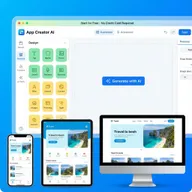
Thunkable
Thunkable offers the best free tier for experimenting with mobile app development, including AI features. Affordable paid plans make it accessible for students, hobbyists, and startups testing app ideas.
Pros
- ✓Generous free plan (2,000 AI tokens)
- ✓Creates native mobile apps
- ✓Drag-and-drop simplicity
- ✓AI features included
- ✓Good for learning and prototyping
Cons
- ✗Limited features on free tier
- ✗App Store publishing requires paid plan
- ✗Smaller template library
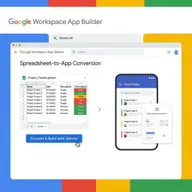
AppSheet (Google)
AppSheet transforms Google Workspace data into functional apps with Gemini AI automation. Ideal for organizations already using Google Workspace who need internal tools, approval workflows, or field operation apps.
Pros
- ✓Included with Google Workspace
- ✓Integrates with Google Sheets, Drive
- ✓Gemini AI automation
- ✓Great for internal business tools
- ✓Enterprise security and compliance
Cons
- ✗Best value requires Google Workspace
- ✗Less flexible than standalone platforms
- ✗Focused on business/enterprise use
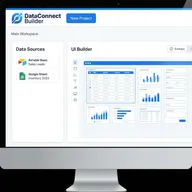
Softr
Softr specializes in creating beautiful frontends for existing Airtable or Google Sheets databases. Perfect for teams with data already organized who need public-facing websites, client portals, or membership sites.
Pros
- ✓Connects to existing Airtable/Sheets
- ✓Excellent SEO support built-in
- ✓Great for client portals
- ✓Fast deployment times
- ✓Beautiful pre-built blocks
Cons
- ✗Higher starting price
- ✗Relies on external databases
- ✗Limited to frontend building
Microsoft Power Apps
Power Apps is Microsoft's low-code platform for enterprise organizations. With deep Office 365 integration and enterprise security, it's ideal for large companies automating internal processes and business workflows.
Pros
- ✓Deep Microsoft 365 integration
- ✓Enterprise-grade security
- ✓AI Builder for automation
- ✓Extensive connector library
- ✓Free plan for development
Cons
- ✗Best value requires Microsoft licenses
- ✗Complex pricing structure
- ✗Designed for enterprise workflows
GoodBarber
GoodBarber creates true native mobile apps with robust e-commerce capabilities. Perfect for businesses launching mobile shopping apps, content apps with monetization, or location-based services requiring native performance.
Pros
- ✓True native apps (Swift/Kotlin)
- ✓Advanced e-commerce tools built-in
- ✓In-app advertising (100% revenue)
- ✓Built-in analytics included
- ✓30-day free trial available
Cons
- ✗E-commerce focus may be limiting
- ✗Additional costs for premium features
- ✗Less flexible than general platforms
How We Evaluate AI App Builders

Our expert team rigorously tests AI app builders and no-code platforms. Here’s our evaluation process:
Ease of Use Testing
We build identical test apps on each platform to measure:
- Onboarding experience: Time to first working app
- Interface intuitiveness: Learning curve and discoverability
- Template quality: Pre-built components and starting points
- Documentation: Clarity and completeness of guides
Capability Assessment
We evaluate what each platform can create:
- App types: Native mobile, web apps, PWAs
- Feature complexity: Database support, user authentication, payments
- Integrations: Third-party services and APIs
- Customization: Design flexibility and branding options
AI Feature Analysis
We test AI-powered capabilities:
- AI generation: Building apps from text descriptions
- Automation: Intelligent workflows and data processing
- Assistance: Code suggestions and problem-solving
- Limitations: What AI can and cannot handle
Performance & Output
We measure the apps created:
- Load times: Mobile and web performance
- Code quality: For platforms with code export
- Scalability: Handling growing users and data
- Publishing: Ease of deploying to app stores
Value Analysis
We calculate true costs:
- Pricing tiers: Features at each level
- Scaling costs: User/app limits and overages
- Hidden fees: Publishing, premium features, support
- Lock-in risk: Ability to export or migrate
Frequently Asked Questions
What is an AI app builder?
An AI app builder is a platform that uses artificial intelligence to help create mobile or web applications with minimal or no coding. You can describe what you want in plain English, and the AI generates functional apps, handles design, or automates workflows.
Can I really build apps without coding?
Yes. Modern no-code platforms like Adalo, Glide, and Thunkable let you build functional apps using visual drag-and-drop interfaces. While you won’t write code, you’ll still need to understand app concepts like databases, user flows, and navigation.
What’s the difference between no-code and low-code?
No-code platforms require zero coding knowledge—everything is visual. Low-code platforms (like FlutterFlow and Draftbit) blend visual building with the ability to add custom code when needed. Low-code offers more flexibility but requires some technical knowledge.
Can I publish apps to the App Store and Google Play?
Yes, but it depends on the platform. Adalo, FlutterFlow, Thunkable, and GoodBarber create real native apps you can publish. Others like Glide and Softr create Progressive Web Apps (PWAs) that work on mobile but aren’t distributed through app stores.
How much does it cost to build an app with these platforms?
Monthly costs range from free (Thunkable’s basic plan) to $30-60/month for most platforms. Traditional app development costs $30,000-150,000+, so no-code saves significantly. Watch for scaling costs—some platforms charge per user or app after limits.
Can I export the code from no-code platforms?
Only some platforms allow code export. FlutterFlow exports Flutter code, Draftbit exports React Native code, giving you full ownership. Platforms like Bubble, Adalo, and Glide don’t export code—you’re tied to their platform (vendor lock-in).
Which platform is best for beginners?
Adalo and Glide are most beginner-friendly with intuitive interfaces and extensive templates. Thunkable offers a generous free tier perfect for learning. Avoid Bubble initially—while powerful, its complexity overwhelms newcomers.
What types of apps can I build?
Most platforms can build: internal business tools, CRMs and dashboards, marketplaces and directories, social networks, e-commerce apps, booking systems, and content apps. Complex apps requiring real-time features, intensive computation, or advanced hardware access may need traditional development.
Are apps built with no-code platforms as good as coded apps?
For most use cases, yes. No-code apps perform well for business tools, MVPs, and standard app functionality. However, custom-coded apps offer more optimization, unique features, and performance tuning for demanding applications or large scale.
What happens if the platform shuts down?
With platforms that don’t export code (most no-code tools), you risk losing your app if the company closes. Mitigate this by: choosing established platforms with funding, building MVPs you can rebuild if needed, or selecting platforms like FlutterFlow that export code.