Article
Best Accounting Software for Small Business in 2026
Streamline your finances with powerful accounting software. Our experts tested features, pricing, and ease of use to find the best accounting solutions for businesses of all sizes.

Managing your business finances doesn’t have to be complicated or expensive. The right accounting software automates tedious bookkeeping tasks, provides real-time insights into your cash flow, and keeps you organized for tax time.
Our team spent over 100 hours testing the leading accounting platforms, evaluating everything from basic invoicing to advanced financial reporting. Here are the best accounting software solutions for small businesses in 2026.
Quick Comparison
| Software | Best For | Price | Rating |
|---|---|---|---|
| 1. QuickBooks Online | Best Overall | $20/month | ★4.8/5 |
| 2. Xero | Best for Growing Companies | $20/month | ★4.7/5 |
| 3. FreshBooks | Best for Freelancers & Service Businesses | $17.10/month | ★4.6/5 |
| 4. Wave | Best Free Accounting Software | $0/month | ★4.5/5 |
| 5. Zoho Books | Best Value for Small Businesses | $15/month | ★4.6/5 |
| 6. Sage Business Cloud Accounting | Best for Advanced Reporting | $10/month | ★4.4/5 |
| 7. Patriot Accounting | Best for Service Businesses & Nonprofits | $20/month | ★4.3/5 |
Our Top Picks in Detail

QuickBooks Online
QuickBooks Online dominates the accounting software market for good reason—its comprehensive features, extensive integrations, and scalability make it ideal for businesses planning to grow. While it's pricier than alternatives, the depth of functionality and support justify the cost for most small to medium businesses.
Pros
- ✓Most comprehensive feature set for growing businesses
- ✓Outstanding integration ecosystem with 750+ apps
- ✓Excellent custom reporting and financial analysis
- ✓Industry-leading support with phone, chat, and email
- ✓Scalable from freelancers to 100-employee companies
Cons
- ✗Higher price point compared to competitors
- ✗Steeper learning curve for beginners
- ✗Recent price increases for existing users

Xero
Xero excels for growing businesses that need to add team members without paying per-user fees. Its clean interface and robust feature set make it a strong QuickBooks alternative, though limited customer support channels may frustrate some users.
Pros
- ✓Unlimited users at no extra cost—perfect for teams
- ✓Beautiful, intuitive interface that's easy to learn
- ✓Strong inventory and project management features
- ✓Real-time collaboration with accountants and team
- ✓Excellent value for mid-tier Growing plan
Cons
- ✗Entry-level plan limited to 20 invoices per month
- ✗Customer support only via email
- ✗Some users dislike recent interface changes
FreshBooks
FreshBooks shines for freelancers and service-based businesses who bill by the hour. Its time tracking integration with invoicing is seamless, and the user-friendly interface means you'll spend less time learning software and more time getting paid.
Pros
- ✓Exceptional ease of use—perfect for non-accountants
- ✓Outstanding time tracking and billable hours features
- ✓24/7 customer support via chat and phone
- ✓Professional invoicing with payment processing built-in
- ✓Much more affordable than QuickBooks for basic needs
Cons
- ✗Limited client caps on lower-tier plans
- ✗Lacks advanced reporting and forecasting tools
- ✗Not ideal for inventory-based businesses
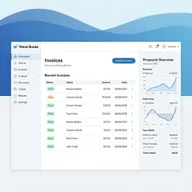
Wave
Wave offers genuine free accounting software with no time limits or hidden fees. While it lacks the advanced features of paid competitors, it's perfect for freelancers, solopreneurs, and businesses under $100K revenue who need reliable invoicing and bookkeeping without the monthly cost.
Pros
- ✓Completely free core accounting features
- ✓Unlimited invoices and expense tracking
- ✓Affordable payroll add-on at competitive rates
- ✓No hidden fees or forced upgrades
- ✓Great for solopreneurs and very small businesses
Cons
- ✗Limited integrations compared to paid options
- ✗Basic features may not scale with growth
- ✗Payment processing fees at 2.9% + $0.60
Zoho Books
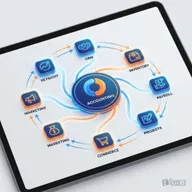
Zoho Books delivers exceptional value, especially for businesses already using other Zoho products. At $15/month for three users, it's one of the most affordable full-featured accounting solutions, though it works best for straightforward accounting needs.
Pros
- ✓Excellent value—$15/month for 3 users
- ✓Seamless integration with Zoho ecosystem (CRM, Projects, Inventory)
- ✓Strong inventory management capabilities
- ✓Free migration support from other platforms
- ✓Free plan available for businesses under $50K revenue
Cons
- ✗Cannot manage multiple entities in one account
- ✗Bank reconciliation can be tedious with high transaction volumes
- ✗Less polished than QuickBooks or Xero

Sage Business Cloud Accounting
Sage brings decades of accounting software experience to the cloud. Its advanced reporting features appeal to businesses that need detailed financial analysis, though the interface feels less modern than newer competitors like Xero or FreshBooks.
Pros
- ✓Excellent reporting and analytics capabilities
- ✓Strong bank reconciliation features
- ✓Affordable entry-level pricing at $10/month
- ✓Good for service companies and professional firms
- ✓Trusted brand with decades of accounting expertise
Cons
- ✗Occasional duplicate entries and syncing issues
- ✗Customer support inconsistencies reported
- ✗Less intuitive interface than competitors

Patriot Accounting
Patriot Accounting focuses on doing the basics exceptionally well with outstanding customer support. It's ideal for US-based service businesses and nonprofits who don't need inventory management but want reliable, affordable accounting with excellent payroll integration.
Pros
- ✓Exceptional customer service and support
- ✓Affordable payroll add-on pricing
- ✓Unique dual-ledger accounting (cash and accrual)
- ✓Perfect for nonprofits and service businesses
- ✓No per-user fees
Cons
- ✗No inventory tracking features
- ✗Limited to US businesses only
- ✗Fewer integrations than major competitors
How We Evaluate Accounting Software
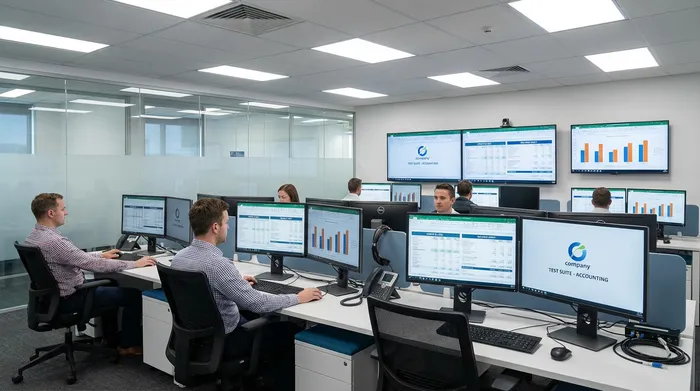
Our accounting software evaluation process is thorough and hands-on:
Feature Completeness
We test core accounting functions:
- Invoicing: Template customization, payment reminders, recurring invoices
- Expense tracking: Receipt scanning, categorization, mileage tracking
- Bank reconciliation: Transaction importing, matching accuracy, speed
- Reporting: Financial statements, tax reports, custom report builders
- Inventory management: Stock tracking, COGS calculations, reorder points
Ease of Use
We evaluate user experience:
- Initial setup and onboarding process
- Interface clarity and navigation
- Learning curve for non-accountants
- Mobile app functionality
- Workflow efficiency for common tasks
Integration Ecosystem
We assess connectivity:
- Payment processors (Stripe, PayPal, Square)
- Payroll providers (Gusto, ADP)
- E-commerce platforms (Shopify, WooCommerce)
- CRM systems (Salesforce, HubSpot)
- Banking institutions for automatic feeds
Customer Support
We test support channels:
- Response times across phone, email, and chat
- Knowledge base quality and searchability
- Video tutorials and training resources
- Accountant support and partnership programs
Value Analysis
We compare pricing structures:
- Entry-level plan capabilities
- Per-user fees and scaling costs
- Add-on pricing for payroll and advanced features
- Total cost of ownership over 12-24 months
Key Features to Look For
Essential Accounting Functions
Every business needs these core capabilities:
- General Ledger: Foundation for tracking all financial transactions
- Accounts Payable/Receivable: Manage bills and customer payments
- Bank Reconciliation: Match transactions with bank statements
- Financial Reporting: Profit & loss, balance sheet, cash flow statements
Advanced Features for Growing Businesses
As you scale, these become important:
- Multi-currency Support: Essential for international business
- Project Tracking: Monitor profitability by project or client
- Inventory Management: Track stock levels and cost of goods sold
- Multi-entity Management: Handle multiple businesses or locations
- Custom User Permissions: Control access by role or department
Accounting Software vs. Bookkeeping Software
While often used interchangeably, there are subtle differences:
Accounting Software provides comprehensive financial management including:
- Full double-entry accounting
- Advanced financial reporting and analysis
- Tax preparation features
- Multi-department or multi-entity support
- Robust audit trails
Bookkeeping Software focuses on day-to-day transaction tracking:
- Invoice and bill management
- Basic expense tracking
- Simple profit/loss reporting
- Bank reconciliation
- Receipt management
Most small businesses need full accounting software, even if they call it “bookkeeping.” The tools reviewed here all provide complete accounting functionality.
Choosing the Right Accounting Software
Consider these factors when making your decision:
Business Size and Complexity
- Solopreneurs/Freelancers: Wave (free) or FreshBooks (time tracking)
- Small businesses (1-10 employees): Zoho Books (value) or FreshBooks (ease of use)
- Growing businesses (10-50 employees): Xero (scalability) or QuickBooks (features)
- Established businesses (50+ employees): QuickBooks or Sage (advanced features)
Industry Requirements
- Service businesses: FreshBooks or Patriot (time tracking, project billing)
- Retail/E-commerce: QuickBooks or Zoho Books (inventory management)
- Nonprofits: Patriot (fund accounting) or QuickBooks (nonprofit edition)
- Professional services: Xero or Sage (client management, project tracking)
Technical Comfort Level
- Beginners: FreshBooks or Wave (simple, intuitive)
- Intermediate: Xero or Zoho Books (balance of power and usability)
- Advanced: QuickBooks or Sage (full control and customization)
Budget Constraints
- $0/month: Wave (genuinely free core features)
- Under $20/month: Zoho Books, Sage Start, or FreshBooks Lite
- $20-40/month: QuickBooks, Xero, Patriot, or FreshBooks Plus
- $40+/month: QuickBooks Advanced, Xero Established, or Sage 50
Frequently Asked Questions
What’s the difference between cloud and desktop accounting software?
Cloud accounting software (like all our recommendations) runs online and can be accessed from any device. Desktop software installs on your computer and data stays local. Cloud is better for collaboration, automatic backups, and working from anywhere, while desktop offers more control and works offline.
Can I switch accounting software mid-year?
Yes, though it’s easier at year-end. Most providers offer data import tools or migration assistance. Plan for 2-4 weeks to fully transition, and consider running both systems in parallel initially to ensure accuracy.
Do I still need an accountant if I use accounting software?
Probably yes. Software handles transaction recording and basic reporting, but most businesses benefit from professional advice on tax strategy, financial planning, and compliance. Many accountants prefer clients who use accounting software—it makes their job easier and less expensive.
What’s the best accounting software for taxes?
QuickBooks offers the most comprehensive tax features and integrates with TurboTax. However, most accounting software generates the reports your tax preparer needs (P&L, balance sheet, expense categories). What matters most is accurate record-keeping throughout the year.
Can accounting software handle inventory?
QuickBooks, Xero, and Zoho Books all include inventory management. Wave and FreshBooks do not. If inventory is central to your business, you may need specialized inventory software that integrates with your accounting platform.
Is free accounting software really free?
Wave is genuinely free for core accounting features with no time limits. They make money from payment processing fees (2.9% + $0.60) and optional paid services like payroll. There are no forced upgrades or hidden fees.
How secure is cloud accounting software?
Very secure. Leading providers use bank-level 256-bit encryption, regular security audits, multi-factor authentication, and redundant backups. Cloud accounting is generally more secure than local computers vulnerable to theft, crashes, or ransomware.
What accounting method should I use: cash or accrual?
Cash basis records income when received and expenses when paid—simpler and better for cash flow visibility. Accrual records income when earned and expenses when incurred—required for larger businesses and gives a more accurate financial picture. Most small businesses start with cash basis. Consult your accountant.